







In today’s fast-paced digital world, communication has become more dynamic than ever before. Whether you are working remotely, managing a business, or simply keeping in touch with loved ones, the right tools can make all the difference. Gone are the days when email and SMS were the only ways to stay connected. Now, innovative communication apps have redefined how we share ideas, collaborate, and correspond.
This article highlights five of the most innovative apps that make communication and correspondence effortless. Each app has been carefully selected based on its features, usability, and the way it transforms everyday communication. Whether you are seeking professional efficiency, creative expression, or seamless personal messaging, these apps stand out as the leaders in 2025.
1. Slack
Why Slack Changed the Workplace
Slack is more than just a messaging app; it has become a virtual office hub for teams across the globe. Designed with professionals in mind, Slack integrates messaging, file sharing, and collaboration into one platform.
Key Features
- Channels for structured team communication.
- Seamless integration with Google Drive, Trello, Zoom, and other tools.
- Powerful search function to retrieve past conversations and files.
- Workflow automation through Slackbot and third-party apps.
Who Should Use It
Slack is ideal for businesses, remote teams, and organizations that need to streamline communication. It minimizes email clutter and centralizes discussions, making collaboration smoother.
Why It Stands Out
Unlike traditional email threads, Slack offers real-time communication in an organized environment. Its ability to integrate with hundreds of apps makes it an indispensable tool for workplace efficiency.
2. Microsoft Teams
Why Microsoft Teams Dominates Enterprise Communication
Microsoft Teams has established itself as one of the most powerful tools for collaboration and correspondence, especially for enterprises. With deep integration into the Microsoft 365 ecosystem, Teams is designed for productivity.
Key Features
- Video conferencing with advanced collaboration tools.
- Integration with Word, Excel, PowerPoint, and Outlook.
- Shared workspaces for projects and documents.
- Enterprise-level security and compliance features.
Who Should Use It
Microsoft Teams is best for corporations, universities, and institutions that require professional-grade communication with added security.
Why It Stands Out
Its combination of chat, video, and document collaboration makes Microsoft Teams more than a messaging app—it’s a complete digital workspace. For organizations already using Microsoft products, it’s a natural fit.

3. WhatsApp Business
Why WhatsApp Business Simplifies Customer Interaction
While WhatsApp is already one of the most widely used messaging apps, the WhatsApp Business version takes communication to the next level for entrepreneurs and small businesses.
Key Features
- Business profiles with contact details and product catalogs.
- Automated greetings and quick replies.
- Labels for organizing conversations with customers.
- Secure end-to-end encryption for all communications.
Who Should Use It
WhatsApp Business is ideal for small to medium-sized businesses, freelancers, and entrepreneurs who want to maintain direct, personal contact with their clients.
Why It Stands Out
The app combines the familiarity of WhatsApp’s interface with advanced tools for customer management. This makes it an excellent bridge between casual messaging and professional correspondence.
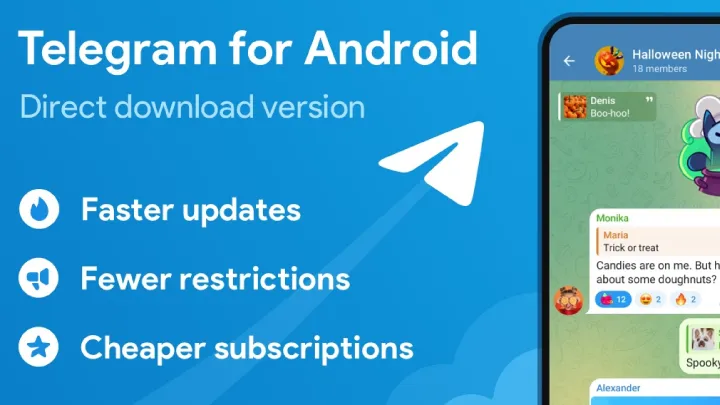
4. Telegram
Why Telegram is Known for Innovation
Telegram is one of the fastest-growing communication apps, praised for its speed, privacy, and feature-rich environment. It goes beyond simple chatting by offering unique tools for both individuals and groups.
Key Features
- Cloud-based messaging accessible from multiple devices.
- Secret chats with self-destructing messages.
- Channels that allow broadcasting to unlimited audiences.
- Support for large group chats with advanced moderation tools.
Who Should Use It
Telegram is perfect for community managers, creators, and users who prioritize security and flexibility. Its features make it appealing for both personal and professional use.
Why It Stands Out
Unlike many other apps, Telegram is constantly introducing new features such as bots, polls, and enhanced multimedia sharing. It continues to push the boundaries of digital correspondence.
5. Zoom
Why Zoom is More Than Just Video Calls
Zoom became a household name during the global shift to remote work. While primarily known for video conferencing, Zoom has evolved into a multifunctional communication platform.
Key Features
- HD video meetings with breakout rooms.
- Team chat and file sharing.
- Webinar hosting for large-scale events.
- Integration with productivity tools like Slack, Google Calendar, and Dropbox.
Who Should Use It
Zoom is a must-have for professionals, educators, and organizations that rely on video meetings for communication. It’s also useful for online communities and training sessions.
Why It Stands Out
Zoom’s reliability, scalability, and ease of use make it one of the most trusted apps for both personal and professional correspondence. Its adaptability ensures it remains relevant even as new communication trends emerge.

Tips for Using Communication Apps Effectively
Balance Real-Time and Asynchronous Communication
Not every conversation needs to happen instantly. Use apps like Slack for real-time chat but rely on email or scheduled messages for non-urgent correspondence.
Leverage Automation and Bots
Many of these apps offer bots and automation tools to save time. For example, Slackbot can remind you of deadlines, while WhatsApp Business can auto-reply to customer queries.
Protect Your Privacy
Apps like Telegram and WhatsApp emphasize encryption, but always review settings to ensure your communication is secure.
Keep Notifications Under Control
With multiple communication apps, notifications can quickly become overwhelming. Customize alerts so you only receive important updates.
The Future of Communication Apps
As artificial intelligence and machine learning continue to evolve, communication apps will become even smarter. We can expect features like automatic meeting transcription, AI-powered summaries of chats, and predictive text assistance to become standard. Moreover, with the growing emphasis on remote collaboration, immersive technologies like AR and VR may soon integrate into communication platforms.
Conclusion
Communication and correspondence are no longer confined to traditional channels. Today, innovative apps like Slack, Microsoft Teams, WhatsApp Business, Telegram, and Zoom provide users with powerful tools that combine convenience, efficiency, and flexibility.
Each app has unique strengths: Slack for organized teamwork, Teams for enterprise-level collaboration, WhatsApp Business for customer interaction, Telegram for secure and creative messaging, and Zoom for reliable video communication.
By choosing the right combination of these apps, you can ensure effortless communication in both professional and personal contexts. In 2025 and beyond, these tools will continue to redefine how we connect, collaborate, and correspond.














![Simpsons [HORROR]](https://arbcdn.techfast.vn/0b51753c5bc9486bb6dfb8974ef220ab.webp)