

Welcome to Gacha Club, a game that is part character creator, part mini-game collection, and part a platform for endless storytelling. It's a game where your imagination is the only limit, and you can create any character you can dream of. This comprehensive "how-to" guide will show you how to master the art of character creation, use the studio to tell your own stories, and even dominate the battle arena.
How to Get Started: The Basics of Character Creation
When you first launch Gacha Club, you will be given a basic character to edit. This is your canvas. The game's character creator is incredibly deep and allows you to customize every aspect of your character, from their hair and eyes to their clothes and accessories. Your first step is to simply experiment. Go through the different menus and see what options are available. Don't be afraid to change a character's gender, hair color, or outfit. You can always revert it back or create a new character.
The game gives you a lot of freedom to create your own style. You can choose from thousands of different items, and each one can be customized with a variety of colors. The key to getting started is to find a character concept that you like and then use the tools to bring it to life.
Fundamental Character Editing Sections
- Body: Adjust your character's height, skin color, and gender.
- Hair: Choose from a wide variety of hair styles, including front, back, and ahoge.
- Eyes: Customize your character's eyes, from their shape to their color and even their pupils.
How to Master Character Customization: Hair, Clothes, and Accessories
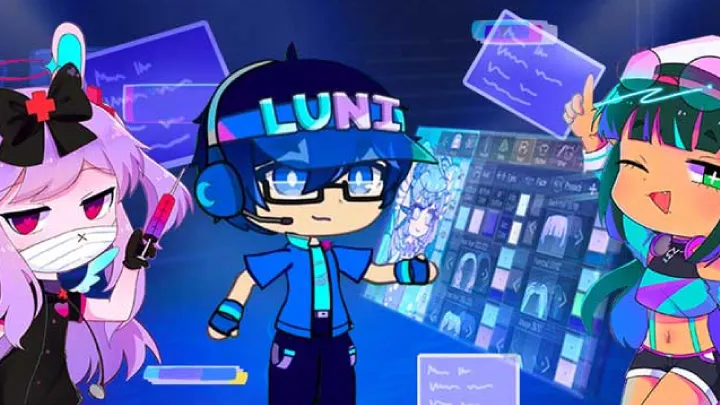
The real power of Gacha Club lies in its advanced customization options. You can layer different clothes and accessories to create unique outfits. You can change the color of every single part of a character, from the laces on their shoes to the trim on their jacket. The game even allows you to change the pose and expression of your character to give them a unique personality.
The key to mastering customization is to pay attention to the details. A small accessory or a different color can completely change the look and feel of a character. You can also use the game's layers system to put different items on top of each other, which allows for even more creative combinations.
How to Use Studio Mode: Creating Scenes and Stories
The Studio Mode is the heart of Gacha Club's creative potential. This is where you can take the characters you created and place them in a variety of scenes. You can choose from a large number of backgrounds, and you can add props, text, and other characters to create a full scene. This mode is perfect for creating short comics, telling stories, or simply showcasing your characters.
To use the Studio Mode effectively, you need to think about composition. Where do you want your characters to stand? What do you want them to be doing? You can use the game's various poses and expressions to give your characters a sense of emotion and personality. You can also use the text boxes to write dialogue and narration, bringing your scene to life.
Remaining Article Outline
- H2: How to Master the Combat System: Units, Elements, and Skills
- H2: How to Play the Mini-Games: Gaining Gems and Bytes
- H2: How to Unlock Characters and Units: The Gacha System Explained
- H2: How to Build a Team for Combat: Synergies and Roles
- H2: How to Save and Share Your Creations: The Export System
- H2: How to Use the Custom Poses and Expressions: The Art of Storytelling
- H2: Conclusion: How to Unleash Your Creativity in Gacha Club
Conclusion: How to Unleash Your Creativity in Gacha Club
Gacha Club is a playground for the imagination. By mastering its character creator, using its studio mode to tell stories, and exploring its other features, you'll unlock a world of endless creativity and fun.