

The immense and deeply realistic physics simulation of Beamng.drive has captivated a community of players who enjoy everything from high-speed chases and demolition derbies to meticulous vehicle tuning and cinematic crashes. While the single-player experience offers a sandbox of creative destruction, the true potential for chaotic and collaborative fun is unlocked when you introduce friends. Beamng.drive does not have native multiplayer, a fact that surprises many newcomers. However, the dedicated community has developed robust third-party modifications that seamlessly integrate multiplayer functionality, allowing players to connect and create their own shared worlds of soft-body physics mayhem.
Understanding the Multiplayer Landscape
Since Beamng.drive was built as a single-player physics simulator, the core of its engine is not designed for a network environment. This means that true multiplayer functionality must be added through community-made modifications. The two most prominent and widely used mods are BeamMP and KissMP. Both of these modifications act as bridges, connecting your game client to a server and synchronizing vehicle positions and events with other players. While both serve the same purpose, they have distinct communities and technical approaches.
BeamMP is arguably the more popular and well-established of the two. It features a streamlined client and a user-friendly server browser, making it a common choice for those new to the multiplayer experience. KissMP, on the other hand, is known for being lightweight and often preferred by those looking for a more direct, no-frills setup, particularly for private sessions with a few friends. For the purpose of this guide, we will focus on the setup process for BeamMP due to its widespread adoption and ease of use.
The Setup Process
Getting started with multiplayer requires a few simple steps. The entire process is centered around downloading and installing a dedicated mod client, which then acts as your gateway to online play.
First, you must have a legitimate copy of Beamng.drive installed on your PC. The multiplayer mods are specifically designed to work with the official game and will not function with pirated or outdated versions. Ensure your game is fully updated through Steam to avoid any compatibility issues.
Next, you will need to acquire the BeamMP client. This is a separate application that you download and install. The process is straightforward and typically involves running a simple installer. This installer will place the necessary files on your system and create a launcher shortcut on your desktop.
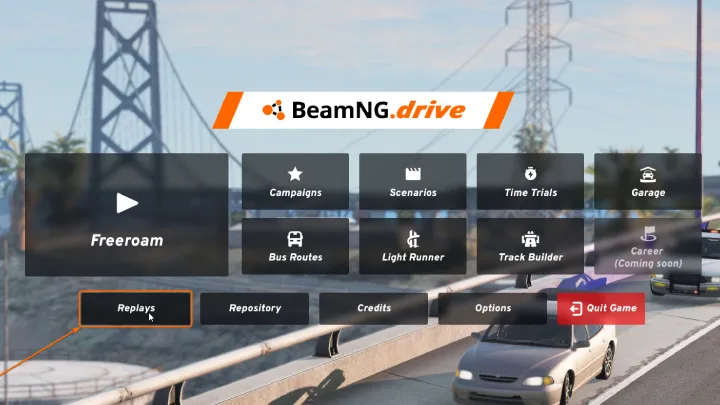
Once the installation is complete, you should use the new BeamMP shortcut to launch the game. This is a critical step, as it activates the multiplayer mod. When the game loads, you will notice a new "Multiplayer" button on the main menu. Clicking this button will open the server browser, which is the hub of the online experience.
Joining a Server
The server browser is your window to the public multiplayer world. It displays a list of all active servers, along with crucial information about each one. As a general rule, you should pay attention to several key details when choosing a server to join.
The ping is a measure of the latency, or delay, between your computer and the server. A lower ping indicates a better connection and a smoother, more responsive gameplay experience. It's generally recommended to join servers with a ping below 100 milliseconds for optimal performance. You'll likely see servers listed from different continents, so choosing one geographically close to you is the best way to ensure a low ping.
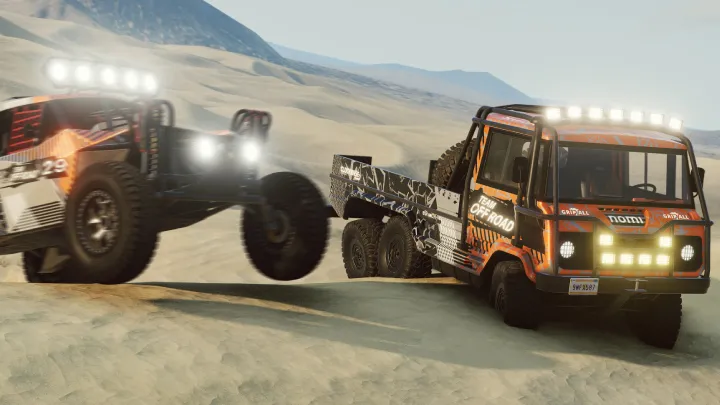
The player count is also important. This shows how many players are currently on the server out of the maximum capacity. A server with a low player count might be ideal for a calm cruise or a private race, while a full server is perfect for massive, chaotic demolition derbies or traffic scenarios.
Finally, check the server name and description. Many server administrators use these fields to specify the type of gameplay they host. You'll find servers dedicated to specific activities like racing, drifting, roleplaying, or just pure sandbox destruction. Some servers are designed to be "vanilla," meaning they don't use any custom content, while others may require you to download specific vehicles or maps, which the mod client will handle automatically.
After you've found a suitable server, simply select it and click the "Connect" button. The mod will then load the map and any required custom assets, and you'll be placed in the game world alongside other players.
Hosting Your Own Private Server
For many players, the best way to enjoy Beamng.drive with friends is by hosting a private server. This gives you complete control over the map, the mods, and the overall gameplay experience. The process of hosting a server is more involved than just joining one, but it is well worth the effort.
To host a server, you will need to download a separate server application, which is also provided by the mod developers. This application is a command-line program that runs on your computer, a virtual private server, or a dedicated machine. It manages the server instance and synchronizes all the player data.
Before you launch the server application, you will need to configure it. This is done through a settings file where you can define the server's name, set a password for private access, choose the map, and specify other game rules. You can also define which vehicles, skins, and props are available to players.
The most challenging part of hosting a server is often port forwarding. This is a network configuration process that allows other players to connect to your server through your home router. Without port forwarding, your server will only be accessible to players on the same local network. The exact steps for port forwarding vary depending on your router model, but the general concept is to create a rule that directs incoming traffic on a specific port to your PC. This is a crucial step for making your server publicly accessible to your friends.
Once the configuration and port forwarding are complete, you can launch the server application. Your friends can then connect to your server by either searching for its name in the server browser or by using the direct connect feature and entering your external IP address.
The True Potential of Multiplayer
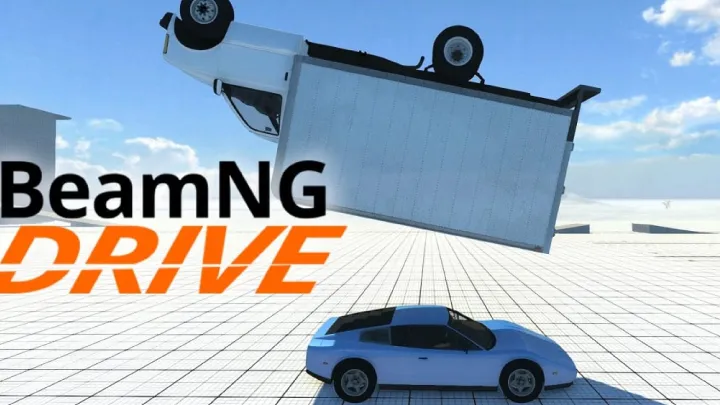
With a stable multiplayer connection, the possibilities for shared fun in Beamng.drive are nearly endless. You can orchestrate elaborate cinematic crashes, setting up a complex scenario with multiple vehicles and watching the chaos unfold in slow motion. You can organize a demolition derby in a custom arena, where the last vehicle running wins. Or you could create a challenging rally course and compete for the best lap times.
Multiplayer also adds a new dimension to the realistic physics. Witnessing the real-time deformation of a friend's vehicle as it careens into a wall is a unique and satisfying experience. The synchronized physics simulation allows for truly collaborative gameplay, such as two players working together to push a massive bus off a cliff or one player acting as a tow truck to rescue another from a ditch.
Beyond the crashes and competition, multiplayer allows for a shared sandbox experience. You and your friends can simply cruise around a detailed map, roleplaying as truckers on a long haul, or as police officers in a high-speed pursuit. The ability to interact with other players in this dynamic, physics-based world elevates Beamng.drive from an impressive simulation to a truly social and engaging game.
In conclusion, while the game’s developers may not have included a native multiplayer feature, the passionate community has more than filled that void. By using mods like BeamMP, you and your friends can take your Beamng.drive experience to the next level, transforming a solitary sandbox into a shared playground of physics-driven fun. The process is straightforward, the rewards are immense, and the only limit is your imagination.