

In the digital era, design has become an essential part of communication, branding, and self-expression. Whether you are a professional graphic designer, a marketing expert, or a casual creator experimenting with visuals for personal projects, the right tools can make a significant difference in your creative journey. Design apps today go beyond simple editing; they offer AI-powered suggestions, collaborative features, templates, and intuitive interfaces that make the entire process smoother.
If you want to elevate your work, stand out on social media, or bring innovative ideas to life, exploring the best design apps available in 2025 is the right step. This article will walk you through ten of the most powerful apps that can help you achieve professional-quality designs, no matter your skill level.
1. Canva
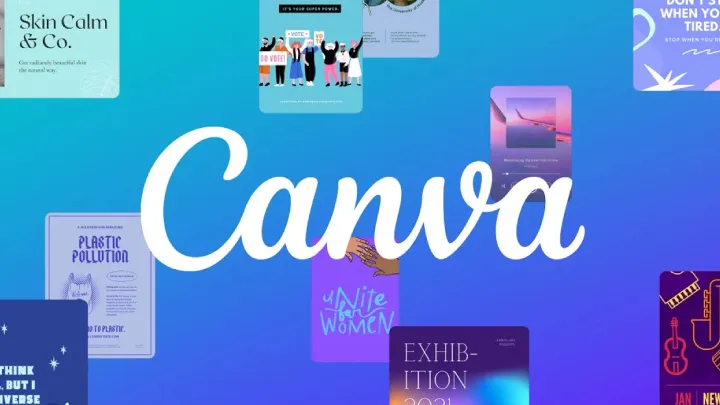
Canva has become a household name for accessible design. It offers an extensive library of templates covering everything from presentations and social media posts to flyers and resumes. With drag-and-drop simplicity, even beginners can create visually appealing projects within minutes.
Canva Pro unlocks advanced features such as brand kits, background removers, and AI-powered design suggestions. Collaboration is seamless, allowing teams to work together in real-time. For businesses, Canva ensures that design consistency is easy to maintain across marketing materials.
2. Adobe Photoshop
For professionals and serious enthusiasts, Adobe Photoshop remains the gold standard. It offers powerful image editing, retouching, and manipulation tools that allow complete control over every pixel. From photo enhancements to creating complex digital artwork, Photoshop provides unmatched flexibility.
While the learning curve is steep, Adobe has improved usability with tutorials, AI tools like Generative Fill, and cloud integration. Designers who need precise control and limitless possibilities still find Photoshop indispensable.
3. Figma
Figma has transformed the way designers collaborate. Unlike traditional software, it is a web-based platform that allows multiple users to work on a project simultaneously. This makes it a favorite among UX and UI designers who need to streamline workflows and share prototypes with clients or developers instantly.
The app integrates easily with tools like Slack, Notion, and Trello, making it a central hub for design collaboration. With its free tier, students, freelancers, and teams can begin designing professionally without heavy costs.
4. Procreate
Exclusively available on iPad, Procreate is a powerful app tailored for digital illustrators. Its intuitive brush engine mimics traditional art techniques while offering digital advantages such as layering, undo options, and quick export. Artists can create sketches, paintings, or comics directly on the go.
Procreate supports Apple Pencil, delivering precision and responsiveness that feels natural. For professionals in creative industries, it has become a go-to tool for merging traditional artistry with modern technology.
5. Affinity Designer
Affinity Designer is a strong competitor to Adobe Illustrator. It is a vector graphics software that balances professional features with affordability. Designers love its smooth performance, detailed editing tools, and one-time purchase model, which eliminates recurring subscription fees.
It works seamlessly across Mac, Windows, and iPad, making it a versatile choice for designers who need flexibility. Whether you are creating logos, typography, or scalable illustrations, Affinity Designer provides the necessary tools without overwhelming users.
6. Sketch
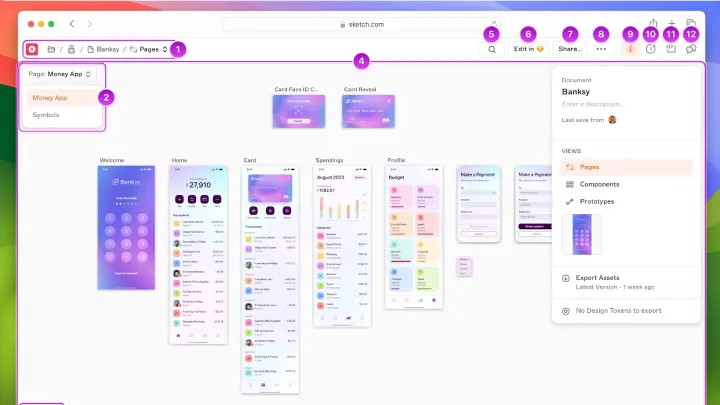
Sketch is widely used in the UI and UX design community. It provides specialized features for creating interfaces, wireframes, and prototypes. Designers appreciate its simplicity, precision, and strong plugin ecosystem that extends functionality.
Collaboration is enhanced with cloud sharing, allowing developers and stakeholders to inspect designs easily. While it is only available on macOS, its influence in shaping app and website design trends remains strong.
7. CorelDRAW
CorelDRAW is one of the most established names in the design industry. Known for vector graphics and professional illustration tools, it serves industries such as printing, advertising, and fashion. It offers precise typography control, layout options, and compatibility with various file formats.
CorelDRAW has kept up with modern demands by introducing AI-powered tracing, collaboration tools, and a subscription model. Its versatility makes it ideal for designers who require both creativity and accuracy.
8. Gravit Designer
Gravit Designer is a browser-based vector design app that balances simplicity and power. It is great for beginners and professionals alike who want to create logos, presentations, and UI designs without heavy software.
Its cross-platform compatibility ensures you can start a project on one device and finish it on another. The clean interface, combined with an affordable pricing plan, makes it a compelling choice for individuals who want flexibility.
9. InVision
InVision focuses on prototyping and collaboration. Designers use it to transform static designs into interactive prototypes that clients and developers can test. It bridges the gap between design and development, helping teams visualize user journeys more effectively.
The platform also includes collaborative features such as real-time comments, integrations with productivity tools, and version history. For teams building apps and websites, InVision is invaluable in aligning ideas before moving to development.
10. Pixlr
Pixlr is a lightweight, web-based photo editor ideal for quick edits and design projects. It provides AI-powered background removal, filters, and overlays that are accessible to casual users while still useful for professionals.
Since it runs directly in a browser, no installation is required. This makes Pixlr a go-to option for individuals looking for efficiency, speed, and affordability in their design process.
Choosing the Right App for Your Needs
With so many options available, selecting the best design app depends on your goals. If you are a student or beginner, Canva and Pixlr provide quick and affordable solutions. Professionals who need precision will find Photoshop, Affinity Designer, or CorelDRAW indispensable. Collaboration-driven teams benefit most from Figma, Sketch, and InVision, while illustrators thrive with Procreate.
The Future of Design Apps
As AI continues to evolve, design apps are becoming smarter and more intuitive. Features like automatic layout suggestions, voice-assisted editing, and real-time translation of visual styles are emerging. The future promises tools that reduce the technical burden, allowing creativity to flow effortlessly.
Conclusion
Design is no longer limited to professionals with expensive software. With today’s range of accessible, innovative, and collaborative apps, anyone can create impactful visuals. By choosing the right tools, you can level up your designs, improve productivity, and unlock creativity that matches professional standards.