







Introduction
Wi-Fi is no longer a luxury—it is an essential part of modern life. From working remotely to streaming movies, playing online games, or attending virtual meetings, everything depends on the stability and strength of your wireless connection. Yet, despite the widespread availability of broadband services, many people continue to struggle with weak Wi-Fi signals, dead zones, and unpredictable dropouts. Poor Wi-Fi not only slows down productivity but also causes frustration, especially when the connection breaks during important tasks.
Traditionally, the common solutions included moving your router, upgrading to a newer model, or even investing in expensive mesh systems. While these options may help, they are often costly and inconvenient. Fortunately, there is another way. With the help of specialized apps, you can analyze your Wi-Fi environment, identify problems, and apply quick fixes to improve performance—all without spending much money.
In this article, we will explore the top 10 apps that can significantly improve your Wi-Fi signal. From free analyzers to professional-grade tools, these apps allow you to scan networks, generate heatmaps, detect interference, optimize router placement, and secure your setup. Whether you are a casual user just trying to fix buffering on Netflix or an IT professional managing a large network, these apps will give you the insights and tools you need to ensure smooth connectivity.
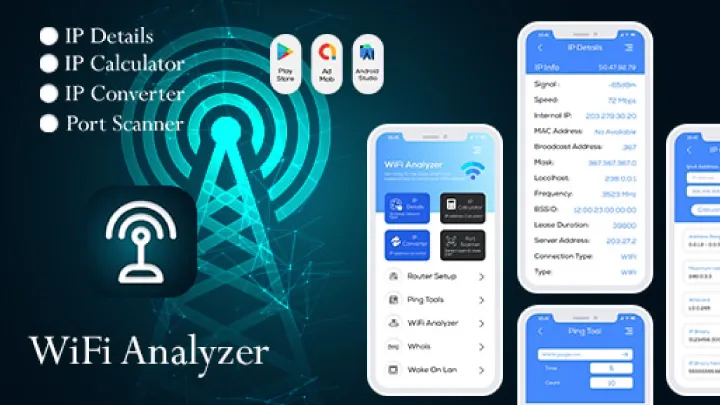
1. WiFi Analyzer (Farproc) – A Classic Choice for Beginners
WiFi Analyzer by Farproc has been around for years and remains one of the most trusted apps for scanning nearby networks. Designed primarily for Windows and Android devices, it provides users with real-time visual graphs of Wi-Fi channels, allowing you to identify which frequencies are congested and which are free.
If your router is currently broadcasting on a crowded channel, WiFi Analyzer will recommend the optimal one to switch to, thereby improving stability and speed. It is simple, lightweight, and easy to use, making it perfect for beginners who just want to fix slow Wi-Fi without diving into complex technical details.
The biggest strength of WiFi Analyzer is its visualization. With its signal strength graph, you can instantly see how your connection compares with neighbors’. However, it is not as feature-rich as newer apps—it lacks advanced security tools or deep network diagnostics. Nevertheless, for a free and straightforward solution, it remains a must-have.
2. WiFi Scanner (Xirrus Insight Solutions) – Great for iOS Users
If you own an iPhone or iPad, WiFi Scanner by Xirrus is one of the best tools available. Like WiFi Analyzer, it shows you nearby networks, their strength, and their channel usage. But what sets it apart is its GPS integration. With this feature, you can map out where the strongest and weakest signals are located in your home or office.
WiFi Scanner also allows you to view detailed information about connected devices, including their IP addresses. This is useful not only for improving signal strength but also for spotting potential intruders on your network.
Its sleek design and Apple ecosystem compatibility make it a favorite among iOS users. However, the free version is somewhat limited, and you may need to pay for advanced features. Still, for iPhone users seeking an easy-to-use app, this is one of the best.
3. HeatMapper (by InSSIDer) – Heatmaps for Every Corner of Your Home
HeatMapper takes Wi-Fi analysis to another level by visualizing signal strength on a map of your space. This is incredibly helpful if you are trying to understand why certain rooms in your house or office have dead zones.
Using your laptop or Android device, HeatMapper collects data as you walk around. The result is a color-coded map showing strong signals in green and weak signals in red. From this, you can decide whether to reposition your router, add a repeater, or change your network configuration.
While HeatMapper is more complex than WiFi Analyzer, it is ideal for users who want to diagnose large spaces. Its only drawback is that it requires more effort—you need to physically walk around your environment for accurate results. But for people dealing with persistent dead zones, the insights it provides are invaluable.
4. NetSpot – A Professional-Grade Analyzer
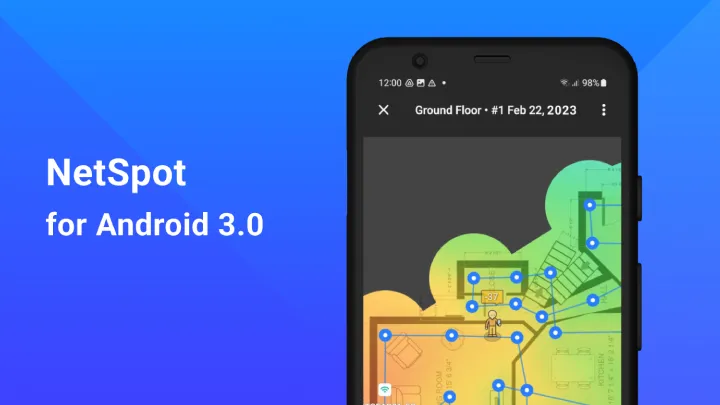
NetSpot has quickly become one of the most respected Wi-Fi analysis tools, particularly for professionals. Available for both MacOS and Windows, it combines ease of use with powerful features.
With NetSpot, you can conduct site surveys to detect dead zones, visualize signal distribution, and optimize router placement. It also supports troubleshooting by detecting hidden networks, interference sources, and configuration issues. Its user-friendly interface makes it accessible even for non-technical users, while its advanced tools are robust enough for IT administrators managing large office setups.
The free version is more than enough for home users, but the paid edition unlocks enterprise-level diagnostics. Overall, if you are serious about Wi-Fi optimization, NetSpot should be high on your list.
5. Vistumbler – Real-Time Wi-Fi Monitoring
Vistumbler is an open-source Wi-Fi scanner for Windows that focuses on real-time monitoring. Unlike simpler apps, it constantly updates the signal strength of nearby networks, displaying detailed metrics like SSID, encryption type, MAC address, and frequency.
This makes it a great option for advanced users who want full control over their Wi-Fi environment. It may not have the sleek visuals of NetSpot or HeatMapper, but its detailed data output appeals to power users. Because it is free and community-driven, it is also a favorite among network enthusiasts who enjoy digging deeper into the technical side of things.

6. WiFiman (by Ubiquiti) – A Modern All-Rounder
WiFiman is one of the newer apps on the market but has quickly gained popularity thanks to its clean design and robust features. Developed by Ubiquiti, a company known for enterprise networking equipment, WiFiman provides a combination of speed tests, network scans, and device detection.
One standout feature is its ability to identify every device connected to your network. This helps you detect bandwidth-hogging gadgets or unknown devices that could pose a security threat. WiFiman also includes a built-in speed test that checks both your internet connection and your local Wi-Fi speed, giving a fuller picture of performance.
Its simplicity and mobile-first design make it perfect for everyday users. Unlike older tools, it feels modern, fast, and intuitive, making Wi-Fi troubleshooting less intimidating.
7. Fing – Security Meets Wi-Fi Analysis
Fing is not just about improving Wi-Fi signal—it is also about security. Available on iOS and Android, it allows users to scan their networks and instantly see all connected devices. This means you can catch freeloaders or unauthorized connections in seconds.
Beyond that, Fing provides detailed diagnostics about signal strength, speed, and performance. One of its most useful features is the ability to receive alerts when new devices join your network. This makes it ideal for people who want both better Wi-Fi performance and peace of mind regarding security.
The free version covers most needs, but power users may prefer Fing Premium, which adds advanced alerts and automation. If you care as much about safety as speed, Fing is an excellent choice.
8. OpenSignal – Optimizing for Mobile Networks Too
While most apps focus exclusively on Wi-Fi, OpenSignal also analyzes cellular networks. This dual capability is perfect for people who rely heavily on mobile data alongside Wi-Fi.
OpenSignal shows you which cell towers your phone connects to, the strength of the signal, and how your mobile performance compares to others in the same area. On the Wi-Fi side, it measures latency, download, and upload speeds while suggesting optimizations.
For travelers or digital nomads, OpenSignal is invaluable because it helps identify the best provider in a given location. While it is less technical than NetSpot or Vistumbler, its broader approach makes it unique.
9. Network Analyzer – Comprehensive Diagnostics in Your Pocket
As the name suggests, Network Analyzer provides deep insights into your local and internet connections. Available on both iOS and Android, it combines Wi-Fi scanning with advanced diagnostics like traceroute, ping, DNS lookup, and port scanning.
This makes it more than just a signal-boosting app—it is a full networking toolkit in your pocket. For users who want to troubleshoot connectivity issues beyond simple Wi-Fi optimization, Network Analyzer is one of the best tools out there.
Its clean interface makes it accessible for casual users, while its range of diagnostic tools appeals to IT professionals. It is a great choice for anyone who wants to dig deeper into network performance.
10. Ekahau Heatmapper – Enterprise-Grade Heatmaps
Ekahau is widely considered the gold standard in Wi-Fi site surveys. While its professional software is expensive and used by enterprises, the company also offers a free tool called Ekahau Heatmapper.
Like HeatMapper, it allows users to create detailed heatmaps of Wi-Fi coverage by walking around with a laptop. The resulting maps are more detailed and accurate than most free tools, making it an excellent option for advanced users or businesses optimizing large spaces.
The only drawback is that it is Windows-only and requires some technical knowledge to interpret results. But for serious Wi-Fi optimization, it is one of the most powerful free tools available.
Conclusion
Improving your Wi-Fi no longer requires guesswork. With the right apps, you can diagnose problems, visualize your signal coverage, secure your network, and even plan router placement—all without expensive equipment.
From the simplicity of WiFi Analyzer and WiFi Scanner to the professional-grade capabilities of NetSpot and Ekahau Heatmapper, there is a solution for everyone. Apps like Fing and WiFiman bring modern designs and security features, while tools like OpenSignal and Network Analyzer expand the focus to mobile networks and advanced troubleshooting.
Choosing the right app depends on your needs. If you are a casual user, start with WiFi Analyzer or WiFiman. If you want security, try Fing. For advanced visualization, use NetSpot or Ekahau. And if you need all-around diagnostics, Network Analyzer is hard to beat.
With these 10 apps, your Wi-Fi no longer needs to be a source of frustration. Instead, you will have the tools to ensure smooth, fast, and reliable connectivity—whether at home, in the office, or on the go.