






In the fast-paced world of technology, iOS emulators have become a valuable tool for developers, gamers, and tech enthusiasts alike. These programs allow users to run iOS apps and games on Windows PCs or Mac systems, making it easier to test applications or enjoy iPhone-exclusive content without owning the actual device. Over the years, emulators have advanced significantly, offering better performance, improved compatibility, and enhanced features.
In this article, we will explore the top 10 iOS emulators in 2025, highlighting their strengths, weaknesses, and overall performance. Whether you are an app developer seeking a reliable testing environment or a gamer wanting to play iOS-exclusive games, this list will help you find the most suitable emulator.
1. Corellium
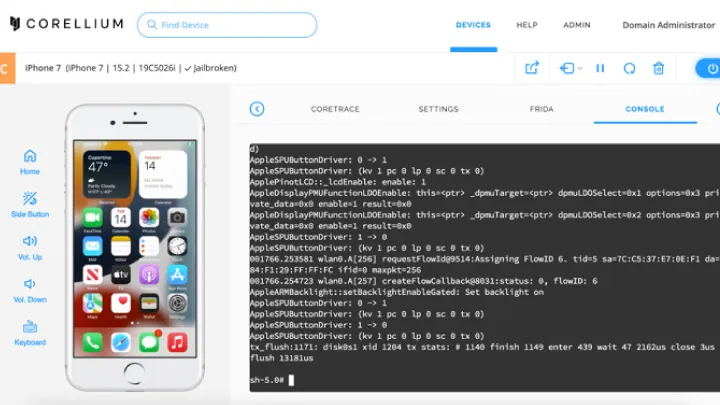
Corellium is considered one of the most advanced iOS emulators, mainly designed for security researchers and developers.
Strengths:
- Offers a complete virtualized iOS device for accurate testing.
- High compatibility with iOS versions.
- Excellent for advanced debugging and security testing.
Weaknesses:
- Expensive subscription model.
- More suitable for professionals than casual users.
Overall:
Corellium is a premium tool that provides near-native iOS performance, but it is not beginner-friendly.
2. Appetize.io
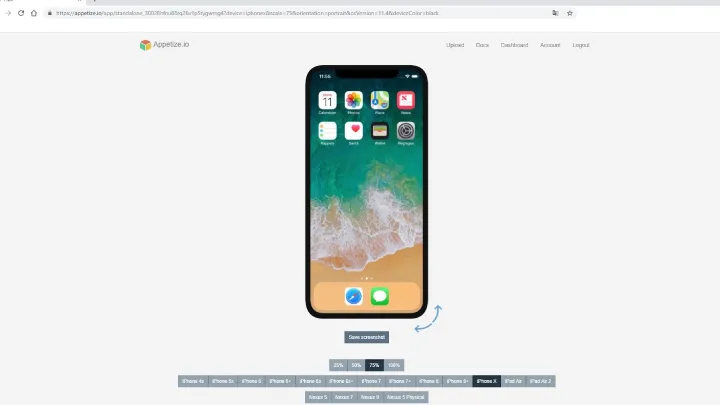
Appetize.io is a cloud-based emulator that runs directly from a browser, making it easy to use without installation.
Strengths:
- No downloads required.
- Works on any platform with a browser.
- Ideal for app demos and client presentations.
Weaknesses:
- Limited free trial.
- Requires stable internet connection.
Overall:
A convenient emulator for quick testing and presentations, though its pricing may discourage casual users.
3. iPadian
iPadian is one of the most popular iOS simulators for Windows, though technically it mimics iOS rather than emulating it.
Strengths:
- User-friendly interface.
- Supports many popular apps.
- Lightweight and easy to install.
Weaknesses:
- Not a true emulator (does not run all iOS apps).
- Limited functionality compared to real iOS.
Overall:
Best for users who want a simple iOS-like environment, but not suitable for developers needing in-depth testing.
4. Smartface
Smartface is a professional-grade iOS emulator designed specifically for developers.
Strengths:
- Supports cross-platform app development.
- Offers debugging and testing tools.
- Good integration with development environments.
Weaknesses:
- Geared toward professionals.
- Steep learning curve for beginners.
Overall:
A powerful tool for serious developers, especially those working on enterprise-level apps.
5. Xcode Simulator
Apple’s official Xcode iOS Simulator is one of the most reliable ways to test iOS apps directly on Mac.
Strengths:
- Free and official Apple tool.
- Full compatibility with the latest iOS versions.
- Great for developers publishing apps to the App Store.
Weaknesses:
- Available only for macOS.
- Not suitable for gaming or casual use.
Overall:
The best option for Mac users developing iOS apps, but inaccessible to Windows users.
6. TestFlight
TestFlight, owned by Apple, is primarily used for beta testing iOS apps before release.
Strengths:
- Official Apple tool with reliable performance.
- Easy app distribution for testers.
- Smooth integration with the App Store.
Weaknesses:
- Not a full emulator.
- Limited to beta testing environment.
Overall:
Best for developers who want to gather feedback from testers before publishing apps.
7. Electric Mobile Studio
Electric Mobile Studio is a professional iOS emulator popular among Windows users.
Strengths:
- Supports iPhone and iPad apps.
- Excellent debugging tools.
- Multiple device testing.
Weaknesses:
- Paid software.
- Requires high system resources.
Overall:
A strong emulator for developers who want to test apps on Windows systems.
8. Ripple Emulator
Ripple is a Chrome extension-based emulator primarily used for testing mobile applications.
Strengths:
- Lightweight and easy to use.
- Supports multiple devices.
- Works within a browser.
Weaknesses:
- Not specifically built for iOS.
- Limited features compared to full emulators.
Overall:
Good for quick testing but lacks depth for professional developers.
9. Delta Emulator
Delta Emulator is widely used for gaming, especially to run classic console games on iOS-like environments.
Strengths:
- Excellent for retro gaming.
- Smooth performance.
- Easy-to-use interface.
Weaknesses:
- Limited to gaming rather than iOS app testing.
- Requires sideloading on some platforms.
Overall:
Perfect for gamers, but not ideal for app developers.
10. Xamarin TestFlight (Visual Studio)
Xamarin, combined with Visual Studio, provides a robust testing environment for cross-platform apps, including iOS.
Strengths:
- Excellent for cross-platform development.
- Strong community support.
- Integrated with Microsoft tools.
Weaknesses:
- Requires technical knowledge.
- Setup can be complicated.
Overall:
A professional solution for cross-platform developers who want to ensure their apps run smoothly on iOS.
Conclusion
Choosing the best iOS emulator depends on your needs. If you are a developer, tools like Xcode Simulator, Corellium, or Smartface offer advanced debugging and app testing features. For those who want to explore iOS-like interfaces, iPadian or Appetize.io provide easy-to-use environments. Meanwhile, gamers may prefer Delta Emulator for retro gaming fun.
No single emulator is perfect for everyone, but the options listed above ensure that there is a suitable choice for each type of user. Whether you prioritize performance, ease of use, or professional testing tools, one of these top 10 iOS emulators will meet your requirements.