


Retro gaming has experienced a massive comeback in recent years. For many players, revisiting classics from the NES, SNES, PlayStation 1, or PSP brings waves of nostalgia. Whether it’s reliving 8-bit adventures, 16-bit RPGs, or classic PS1 and PSP hits, emulators and retro game apps make it possible to enjoy these old favorites on modern devices.
In this article, we’ll explore the top 10 retro gaming apps you can use to play NES, SNES, PS1, and PSP games. We’ll highlight their strengths, weaknesses, and provide a quick evaluation so you can choose the best fit for your retro gaming journey.
1. RetroArch
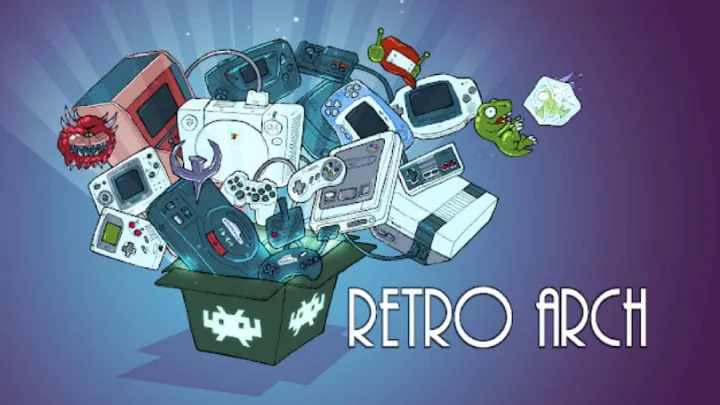
Overview: RetroArch is one of the most versatile retro gaming apps available, supporting a huge range of consoles including NES, SNES, PS1, PSP, Sega, and more.
Strengths:
- Supports multiple platforms and cores in one app.
- Highly customizable interface.
- Cross-platform availability (PC, Android, iOS).
Weaknesses:
- Complex setup for beginners.
- Some advanced features may be overwhelming.
Evaluation: RetroArch is a powerhouse emulator, best for players who want everything in one place. It’s not the easiest to configure, but once set up, it provides unmatched flexibility.
2. PPSSPP (PSP Emulator)
Overview: If PSP gaming is your priority, PPSSPP is the most reliable app. It supports a wide library of PSP titles with smooth performance.
Strengths:
- Optimized for high performance, even on mid-range devices.
- Customizable controls and HD resolution upscaling.
- Active development and updates.
Weaknesses:
- Requires relatively powerful hardware for demanding PSP titles.
- Some minor compatibility issues with certain games.
Evaluation: PPSSPP is the gold standard for PSP emulation, delivering near-console-level quality for classic games like God of War: Chains of Olympus or Final Fantasy Crisis Core.
3. ePSXe (PS1 Emulator)
Overview: ePSXe is a dedicated PlayStation 1 emulator, loved for its accuracy and compatibility with a huge library of PS1 games.
Strengths:
- Smooth gameplay with excellent compatibility.
- Supports external gamepads and memory cards.
- Stable and lightweight.
Weaknesses:
- Outdated UI compared to modern apps.
- Limited extra features compared to RetroArch.
Evaluation: If you’re specifically looking for a stable PS1 emulator, ePSXe is still a reliable choice, perfect for RPGs like Final Fantasy VII or classics like Crash Bandicoot.
4. SNES9x EX+
Overview: SNES9x EX+ is one of the most trusted SNES emulators, delivering solid performance and faithful recreation of 16-bit classics.
Strengths:
- Free and lightweight.
- High compatibility with popular SNES titles.
- Simple, user-friendly interface.
Weaknesses:
- Basic graphics compared to modern emulators.
- Few advanced features.
Evaluation: For players who want to quickly dive into SNES classics like Super Mario World or The Legend of Zelda: A Link to the Past, SNES9x EX+ is a must-have.
5. John NESS
Overview: John NESS is an all-in-one emulator for both NES and SNES games, offering a convenient package for fans of early Nintendo consoles.
Strengths:
- Dual support for NES and SNES titles.
- Smooth controls with customizable settings.
- Cloud save support.
Weaknesses:
- Free version comes with ads.
- Less polished than RetroArch for advanced users.
Evaluation: John NESS is perfect for casual players who want quick access to classic Nintendo games without worrying about setup complexity.
6. MAME4droid
Overview: MAME4droid is designed for arcade enthusiasts, supporting thousands of classic arcade titles.
Strengths:
- Large compatibility with arcade ROMs.
- Smooth performance on modern hardware.
- Nostalgic arcade experience.
Weaknesses:
- Requires large ROM files.
- Some games may require additional tweaking.
Evaluation: If you love arcade retro games, MAME4droid is an essential emulator that captures the original arcade cabinet feeling right on your phone.
7. OpenEmu (Mac Only)
Overview: OpenEmu is a sleek retro gaming app exclusive to macOS, supporting NES, SNES, PS1, PSP, and more.
Strengths:
- Beautiful and user-friendly interface.
- All-in-one emulator for multiple systems.
- Easy game library management.
Weaknesses:
- Limited to macOS users only.
- Fewer customization options than RetroArch.
Evaluation: For Mac gamers, OpenEmu is one of the most elegant and practical emulators, offering a clean way to organize and enjoy your retro collection.
8. Dolphin Emulator
Overview: Dolphin is mainly known as a GameCube and Wii emulator, but many retro gamers also use it to revisit early 2000s classics.
Strengths:
- HD upscaling and excellent performance.
- Supports both touch and external controllers.
- Frequent updates and large community support.
Weaknesses:
- Requires strong hardware for smooth performance.
- More complex setup for beginners.
Evaluation: While not specifically for NES/SNES/PS1/PSP, Dolphin is a must-have if you want to relive retro GameCube or Wii games with enhanced graphics.
9. NES.emu
Overview: NES.emu is a lightweight NES emulator, offering reliable performance with classic 8-bit games.
Strengths:
- Easy to set up and use.
- Solid compatibility with NES ROMs.
- Supports external controllers.
Weaknesses:
- Paid app, while some alternatives are free.
- Basic interface.
Evaluation: For those who just want to play NES classics like Super Mario Bros. or Mega Man, NES.emu provides a stable and straightforward experience.
10. ClassicBoy Gold
Overview: ClassicBoy Gold is a multi-system emulator that supports NES, SNES, PS1, PSP, Sega, and more, making it a strong all-in-one solution.
Strengths:
- Wide console support in one app.
- Customizable controls and gestures.
- Save/load state functionality.
Weaknesses:
- Some features locked behind premium version.
- Occasional bugs on certain devices.
Evaluation: ClassicBoy Gold is a convenient emulator for players who want a single app to cover all their retro needs without juggling multiple apps.
Conclusion
Retro gaming apps have made it easier than ever to relive the golden age of video games. Whether you want to revisit NES adventures, SNES classics, PS1 RPGs, or PSP action titles, there’s an emulator for everyone.
- Best All-in-One Solution: RetroArch
- Best PSP Emulator: PPSSPP
- Best PS1 Emulator: ePSXe
- Best for Casual Nintendo Fans: John NESS
- Best Mac Emulator: OpenEmu
Choosing the right emulator depends on your platform, hardware, and whether you prefer simplicity or advanced customization. With these top 10 apps, retro gaming is just a download away.