




Android emulators have become essential tools for both developers and gamers. They allow users to run Android applications and games directly on a PC or laptop, offering advantages such as better performance, larger screen sizes, and easier multitasking. Whether you are testing applications, seeking to enjoy mobile games without battery limitations, or simply want a seamless cross-platform experience, Android emulators can be an excellent solution.
However, the market is full of options, and not all emulators are created equal. Some prioritize performance and gaming, while others focus on stability and compatibility. In this article, we will take a deep dive into the top 5 best Android emulators in 2025, exploring their strengths, weaknesses, and overall performance so that you can choose the right one for your needs.
1. BlueStacks
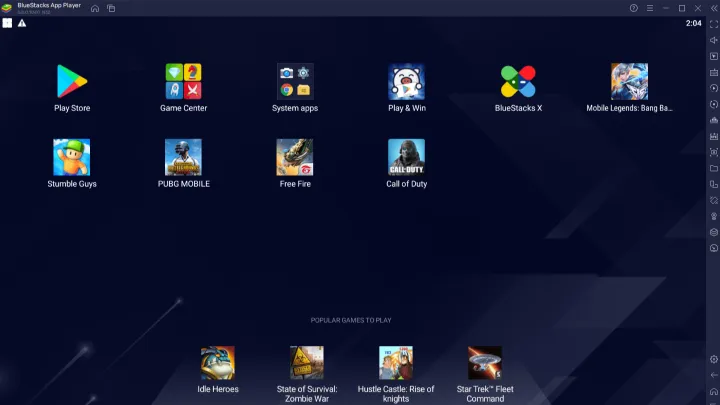
BlueStacks has long been one of the most popular Android emulators worldwide. Known for its stability and wide user base, it has evolved significantly over the years and remains a top choice in 2025.
Strengths
- Optimized for Gaming: BlueStacks is specifically designed with mobile gaming in mind. It offers smooth performance and high frame rates for most titles.
- User-Friendly Interface: Its intuitive UI makes it easy for beginners to navigate and set up quickly.
- Multiple Instance Support: BlueStacks allows you to run multiple games or applications simultaneously.
- Regular Updates: The developers consistently update the emulator to improve compatibility and performance.
Weaknesses
- High System Requirements: To get the best experience, you need a powerful PC with sufficient RAM and a good graphics card.
- Resource Intensive: BlueStacks can consume a large portion of system resources, which might slow down other tasks.
Review Summary
BlueStacks continues to dominate the emulator market for its balance between performance, features, and compatibility. It is ideal for gamers looking for a polished experience, though casual users may find it heavy on resources.
2. NoxPlayer
NoxPlayer is another popular Android emulator that has earned a strong reputation, especially among gamers who value customization and advanced controls.
Strengths
- Lightweight and Efficient: Compared to BlueStacks, NoxPlayer tends to consume fewer resources.
- Advanced Customization: It allows users to tweak CPU, RAM, and FPS settings according to their needs.
- Macro and Script Support: Perfect for automating tasks or enhancing gameplay with custom key mappings.
- Free to Use: NoxPlayer provides premium features without charging fees.
Weaknesses
- Occasional Bugs: Some users report stability issues, especially when running newer apps.
- Ad-Supported: While free, NoxPlayer occasionally displays ads that can disrupt the experience.
Review Summary
NoxPlayer is an excellent alternative to BlueStacks, especially for those who want more control over their emulator settings. It provides a great balance of performance and features without being too heavy on hardware.
3. LDPlayer
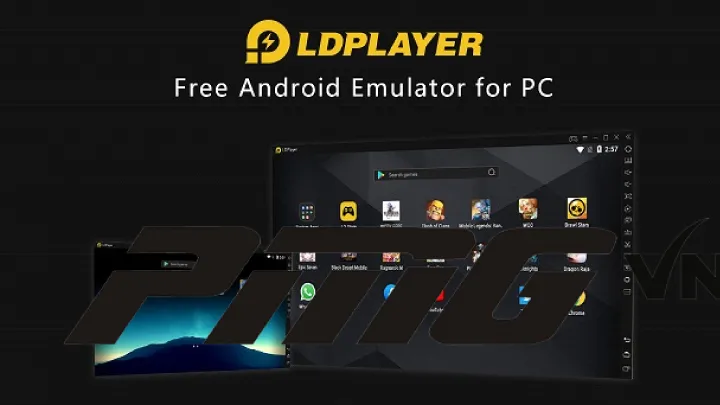
LDPlayer has rapidly gained popularity in recent years due to its gaming-focused optimizations and smooth performance across various titles.
Strengths
- High Performance: LDPlayer delivers smooth gaming experiences, even on mid-range PCs.
- Optimized for Popular Games: Titles like PUBG Mobile, Free Fire, and Genshin Impact run efficiently.
- Multi-Instance Manager: Users can play multiple accounts of the same game simultaneously.
- Low Resource Usage: Compared to other emulators, LDPlayer is lighter on CPU and RAM usage.
Weaknesses
- Limited Non-Gaming Features: While great for games, LDPlayer is less suited for general Android app testing or productivity.
- Occasional Compatibility Issues: Some niche apps may not run perfectly.
Review Summary
For gamers who want smooth gameplay without overburdening their system, LDPlayer is a top contender. It might not be the best for developers, but it shines in what it was built for—gaming.
4. MEmu Play
MEmu Play is known for its versatility, offering a balanced experience for both gaming and general app use. Its unique features make it a competitive choice among emulators.
Strengths
- Wide Compatibility: MEmu Play supports both Intel and AMD chipsets, ensuring broad accessibility.
- Customizable Settings: Users can allocate specific system resources like CPU cores and RAM.
- File Sharing: MEmu makes it easy to share files between your PC and emulator.
- Regular Updates: Developers frequently release patches to improve stability and performance.
Weaknesses
- Average UI: The interface is less polished compared to competitors like BlueStacks.
- Ads and Promotions: Some intrusive ads may appear during use.
Review Summary
MEmu Play offers a strong balance between functionality and gaming performance. While not the flashiest option, it is reliable and works well across a wide range of devices.
5. Genymotion
Unlike the other four options, Genymotion primarily targets developers rather than gamers. It is a robust Android emulator used for app testing, debugging, and virtual device simulations.
Strengths
- Developer-Oriented: Provides a wide variety of virtual devices with different Android versions and hardware specifications.
- Cloud Integration: Can run on local PCs or through cloud services.
- Comprehensive Testing Tools: Perfect for developers needing to test compatibility across multiple device types.
- Stable and Reliable: Highly professional with fewer crashes compared to free gaming-focused emulators.
Weaknesses
- Not Free for Commercial Use: While there is a free version, professional and commercial use requires a subscription.
- Not Gaming-Oriented: Performance for games is not as strong as gaming-focused emulators like LDPlayer or BlueStacks.
Review Summary
Genymotion is best suited for developers who require a professional testing environment. It is not the right choice for gaming but excels in reliability and versatility for app development.
Key Considerations When Choosing an Emulator
When selecting an Android emulator, consider the following:
- Purpose of Use: Are you using it for gaming, app testing, or casual browsing?
- System Specs: Do you have a high-end PC or a mid-range laptop? Performance varies depending on resources.
- Features Needed: Do you require multi-instance, macro support, or developer tools?
- Budget: Some emulators are free, while others require subscriptions for professional features.
Common Challenges with Android Emulators
While Android emulators are convenient, users may face challenges such as:
- Performance Bottlenecks: Some emulators consume significant resources, slowing down the host PC.
- Compatibility Issues: Certain apps or games may not run as expected.
- Security Risks: Free emulators sometimes include intrusive ads or bundled software.
- Learning Curve: Customizing advanced features may confuse beginners.
The Future of Android Emulators
With the rise of cloud gaming and virtualization, the future of Android emulators may shift toward more cloud-based platforms. Services like Genymotion are already pioneering cloud integration, while traditional emulators like BlueStacks continue to evolve with better optimizations. In the next few years, we can expect lighter, faster, and more secure emulators tailored for both gamers and developers.
Conclusion
Choosing the right Android emulator depends heavily on your needs. If you’re a gamer, BlueStacks and LDPlayer are the best options for smooth performance and optimization. For users who prefer customization, NoxPlayer provides flexibility and control. Those who want a balanced experience between gaming and general use will find MEmu Play reliable. Finally, if you’re a developer in need of a professional environment, Genymotion is unmatched.
In 2025, the Android emulator landscape continues to thrive, with different platforms serving unique audiences. No matter your goals, there is an emulator that will enhance your Android experience on PC.