







Introduction
Communication is the lifeblood of human interaction. For centuries, people have relied on letters, in-person meetings, and later on telephone calls to stay in touch with one another. While these traditional methods still hold value, the twenty-first century has completely transformed how we correspond. Today, communication is no longer restricted by geography or expensive infrastructure. All you need is a smartphone and an internet connection, and suddenly, you can reach anyone in the world instantly.
The rise of mobile applications has been central to this revolution. From instant messaging to international video conferencing, modern apps have redefined how we build relationships, collaborate at work, and maintain social connections. However, with thousands of communication apps available on the market, choosing the right ones can be overwhelming. Some prioritize speed and simplicity, while others focus on professional collaboration or offer specialized tools like translation services and encrypted messaging.
In this comprehensive guide, we will examine five of the most innovative apps that make communication and correspondence truly effortless: WhatsApp, Skype, Slack, Google Hangouts, and Viber. Each of these applications has carved a unique space in the digital ecosystem, catering to different needs—whether you are a casual user trying to keep in touch with friends and family, a remote worker managing international teams, or a business professional seeking secure and cost-effective solutions.
1. WhatsApp: The Ideal App for Instant Messaging
When it comes to instant messaging, WhatsApp remains the global leader. With more than two billion users worldwide, this application has become the default communication tool in many countries. Its appeal lies in simplicity. Users can send text messages, share photos and videos, and even forward voice notes without worrying about SMS fees or international calling charges. All that is required is a stable internet connection, which makes it incredibly accessible, especially in regions where traditional telecom services are costly.
What elevates WhatsApp beyond being a simple messaging app is its focus on privacy. The platform uses end-to-end encryption, ensuring that only the sender and receiver can access the content of a conversation. Not even WhatsApp itself can read these messages. This security feature has built trust among users who care deeply about the confidentiality of their communications.
Another reason for WhatsApp’s popularity is its seamless support for multimedia and calls. Users can initiate high-quality voice and video calls that work across borders at no additional cost. This feature has been particularly valuable for families spread across continents and businesses with global clients. In addition, WhatsApp has introduced group chats and communities that allow hundreds of participants to interact in one place, making it easier to organize events, share updates, or manage large discussions.
Despite these strengths, WhatsApp is not without limitations. It relies heavily on internet connectivity, and in regions with weak networks, call quality can sometimes falter. Moreover, while it excels in personal communication, it is less suited for professional collaboration compared to tools like Slack. Still, as a free, reliable, and secure messaging platform, WhatsApp remains indispensable. For many people, it has replaced traditional texting altogether.
2. Skype: An All-in-One Solution for Remote Communication
Skype, developed by Microsoft, is one of the pioneers of internet-based communication. Long before video calls became mainstream, Skype introduced people to the concept of talking face-to-face online. Over the years, the app has evolved into a multi-functional platform that supports text messaging, voice calls, video conferencing, and even translation services.
The real strength of Skype lies in its versatility. Unlike WhatsApp, which primarily thrives on mobile devices, Skype works across platforms. Whether you are using a desktop, laptop, tablet, or smartphone, your conversations remain synchronized. This makes it particularly useful for professionals who often switch between devices during the day.
Skype’s video conferencing capabilities are one of its standout features. It supports group calls with dozens of participants, and its screen-sharing function has made it an essential tool for remote work and virtual meetings. Businesses appreciate the ability to collaborate on presentations or walk through documents in real time, reducing the barriers created by physical distance.
Another impressive feature is its real-time translation service, powered by Microsoft’s AI technology. This allows users who speak different languages to communicate without difficulty, making Skype a valuable tool for international teams and cross-border negotiations.
On the downside, Skype has faced criticism for occasional lags and connection issues, especially when handling very large meetings. It also feels heavier compared to newer, more streamlined apps. Nevertheless, its legacy, reliability, and professional-grade features ensure that Skype continues to be a go-to choice for remote communication. For organizations with international staff or families who want a desktop-friendly option for long-distance video calls, Skype remains highly relevant.
3. Slack: A Platform for Effective Team Collaboration
While WhatsApp and Skype excel in personal or general communication, Slack is specifically designed for professional collaboration. Launched in 2013, Slack quickly became one of the most popular platforms for workplace communication. Its core strength lies in organizing conversations and workflows into channels. These channels can be dedicated to specific projects, teams, or topics, ensuring that discussions remain focused and relevant.
Unlike email, where important messages can easily get buried, Slack makes information easy to track. Messages, files, and notifications appear in real time, creating a dynamic communication environment. Team members can share documents, assign tasks, and even integrate third-party tools like Google Drive, Trello, or Zoom. This integration makes Slack more than just a messaging app—it becomes the central hub for workplace productivity.
Customization is another strong point. Administrators can create private groups, public channels, or one-on-one chats. Notifications can be tailored to suit preferences, preventing users from feeling overwhelmed. This flexibility has made Slack particularly appealing to companies that operate remotely or across multiple time zones.
Of course, Slack is not perfect. Its interface can feel overwhelming for new users, especially when multiple channels and threads are active simultaneously. Additionally, while the free version offers many features, larger organizations often need to pay for premium plans to access advanced tools like unlimited message history or enhanced integrations.
Still, Slack’s impact on modern workplaces cannot be overstated. It has fundamentally changed how teams communicate, moving away from slow, cluttered email threads to fast, interactive conversations. For companies aiming to streamline collaboration, reduce delays, and foster stronger team engagement, Slack has become almost essential.

4. Google Hangouts: Unified Messaging Across All Devices
Google Hangouts, now evolving into Google Chat and Google Meet, is Google’s attempt to unify communication under a single umbrella. While it started as a simple messaging app, Hangouts has grown to integrate video conferencing, voice calls, and direct links with Google’s ecosystem, including Gmail and Google Workspace.
One of the app’s key advantages is cross-device compatibility. Whether you are on a smartphone, tablet, or desktop computer, Hangouts ensures a consistent experience. This is particularly useful for people who rely heavily on Google’s services, as it allows seamless switching between email, calendar events, and chat.
Hangouts is also known for its integration with third-party software. Businesses using Google Workspace can connect productivity apps directly within the platform, making it easier to manage projects without leaving the conversation. For example, teams can attach files from Google Drive, schedule meetings in Google Calendar, and jump into Google Meet calls—all without needing separate apps.
Where Hangouts sometimes falls short is in its interface and popularity compared to competitors like WhatsApp or Slack. Its design has often been criticized for being less intuitive, and with Google frequently rebranding its messaging services, some users have found it confusing to keep up. However, its strength lies in its ability to tie communication directly into productivity tools, making it especially attractive for companies already invested in the Google ecosystem.
For professionals, Hangouts is a reliable choice for video meetings and collaborative work, while for casual users, it provides an easy way to chat across devices without taking up extra storage space. In short, it remains a practical, if sometimes underrated, tool in the communication space.
5. Viber: Hassle-Free International Calling Services
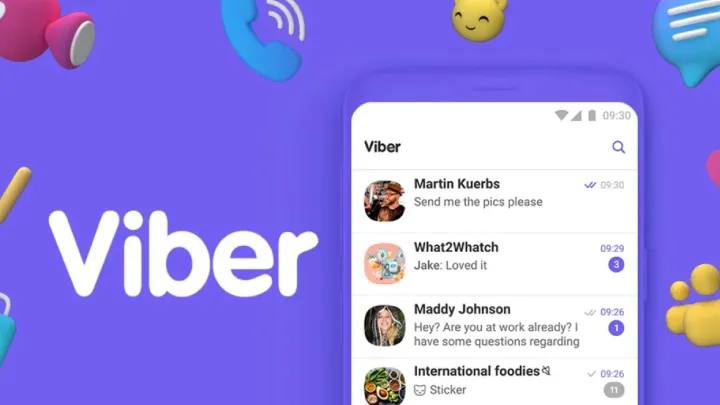
Last but not least, Viber stands out for its focus on international communication. While many apps allow global connections, Viber has specifically positioned itself as a cost-effective alternative to traditional long-distance calling. For people who frequently talk to family and friends abroad, it offers crystal-clear voice calls at a fraction of the cost of mobile networks.
The app supports HD-quality audio, which ensures conversations remain natural and uninterrupted. Unlike some competitors, Viber also offers dedicated international calling plans, making it a popular choice in regions where traditional telecom rates remain prohibitively expensive. Beyond calls, Viber supports messaging, stickers, and multimedia sharing, making it a fun and engaging platform.
For businesses, Viber offers the ability to create conference calls, though its group chat features are less robust compared to Slack or WhatsApp. This makes it more suitable for personal communication or small business needs rather than enterprise-level collaboration.
One of Viber’s unique aspects is its emphasis on accessibility. It has a relatively lightweight design, works well even on slower networks, and ensures that people can stay connected without worrying about dropped calls. For communities separated by geography, Viber provides peace of mind by ensuring that important conversations are never lost to poor signal strength.

Conclusion
In today’s hyperconnected world, the way we communicate has become faster, smarter, and more flexible. From the simplicity of WhatsApp’s instant messaging to the versatility of Skype’s international conferencing, from Slack’s workplace efficiency to Google Hangouts’ ecosystem integration, and finally to Viber’s affordability in international calling, these apps represent the best of what digital communication has to offer.
Each app serves a distinct purpose. WhatsApp is perfect for personal messaging and small group chats. Skype excels in professional-grade calls and cross-language communication. Slack transforms how teams collaborate and manage projects. Google Hangouts unifies messaging across all devices with productivity tools, while Viber makes international calling seamless and budget-friendly.
Ultimately, choosing the right app depends on your specific needs. For personal connections, WhatsApp and Viber stand out. For remote work and collaboration, Slack and Hangouts are invaluable. And for professional conferencing or family video calls across continents, Skype remains a trusted option.
What unites all five is their ability to remove barriers—be they distance, cost, or complexity. Thanks to these innovative applications, staying connected has never been more effortless.