

Minecraft is more than just a survival or building game—it is a platform of limitless creativity and self-expression. From building massive castles to surviving against mobs, players can explore the game in countless ways. Yet, one of the most enjoyable aspects of Minecraft is the ability to personalize the look and feel of your gameplay experience.
This is where skin mod and utility apps come into play. These apps allow you to change your character’s appearance, install new mods, or even optimize your game. They make it possible to stand out in multiplayer servers, enhance visuals, and experiment with new tools.
In this article, we will explore the top 5 Minecraft skin mod and utility apps available today. For each app, we’ll look at its main features, strengths, weaknesses, and overall verdict so that you can decide which tool best suits your playstyle.
1. Skinseed
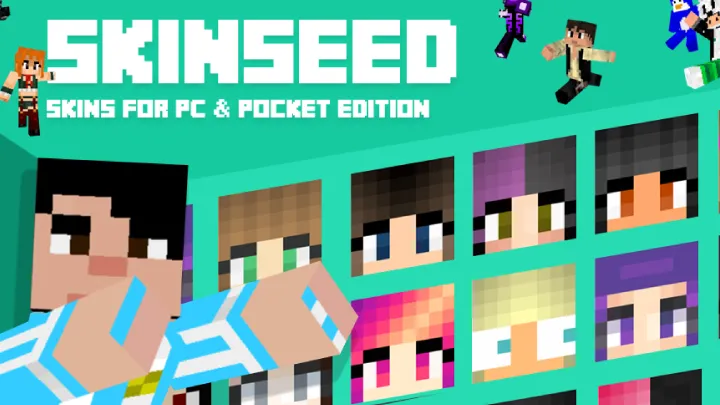
Skinseed is one of the most well-known apps in the Minecraft community for skin customization. It offers a vast library of community-made skins while also allowing players to design their own characters with an intuitive 3D editor. The app has been around for years and has built a reputation as a go-to option for players who want quick access to fresh skins.
Unlike traditional editors, Skinseed emphasizes ease of use. Even beginners can open the app, pick a skin, and apply it to their game in just a few minutes. For creative players, the 3D editing mode allows you to rotate and zoom in on every angle of your skin, making sure no detail goes unnoticed.
Strengths:
- Millions of community-created skins ready to download.
- 3D editor with zoom, rotation, and color tools for easy editing.
- Works seamlessly on both iOS and Android.
- Strong online community ensures regular content updates.
Weaknesses:
- Free version includes frequent and intrusive ads.
- Exporting skins to Minecraft sometimes fails on certain versions.
- Limited to skins only—no modding or utility features.
Verdict: Skinseed is perfect for casual players who want to explore thousands of skins quickly and make small adjustments. However, for advanced modding or utility features, you’ll need a different app.
2. BlockLauncher
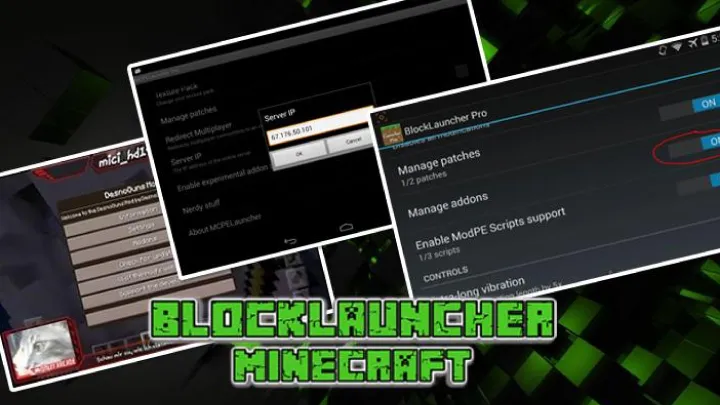
If you play Minecraft: Pocket Edition (PE) on Android, BlockLauncher is almost a must-have. This utility app allows you to install mods, texture packs, and scripts directly into your game. With BlockLauncher, you can go beyond simple cosmetic changes and truly customize your game mechanics.
The app works by “patching” Minecraft PE, giving it the ability to run mods that were originally designed for PC. This makes it an incredibly powerful tool for mobile players who want the freedom of PC modding on their Android devices.
Strengths:
- Supports mods, scripts, and texture packs for Minecraft PE.
- Advanced patching system for deeper customization.
- Offers both free and Pro versions for different user needs.
- Provides PC-like modding capabilities on mobile devices.
Weaknesses:
- Android only—iOS users cannot access BlockLauncher.
- Compatibility issues with newer Minecraft PE updates.
- Can feel intimidating for beginners due to technical settings.
- Some mods may cause crashes or lag on weaker devices.
Verdict: BlockLauncher is ideal for experienced players who want total control over Minecraft PE mods. Beginners may find it overwhelming, but it’s one of the most powerful modding tools available for mobile.
3. ZSkin Editor
ZSkin Editor is a simple yet powerful app that focuses entirely on skin creation and editing. Unlike apps that mix skins with mods or utilities, ZSkin Editor is dedicated to helping players craft original designs. It’s lightweight, easy to use, and works well on both Android and iOS.
The app provides pixel-perfect editing, which means you can adjust every tiny detail of your character. If you love drawing or designing, this editor gives you the creative freedom to bring unique ideas to life. While it may not have a massive community library like Skinseed, it appeals to players who want to create something truly original.
Strengths:
- Lightweight and runs smoothly even on older phones.
- Pixel-level editing with advanced color palettes.
- Clean interface makes designing efficient and enjoyable.
- No unnecessary features—focused purely on skins.
Weaknesses:
- No built-in skin-sharing community.
- Lacks modding or texture pack utilities.
- Limited pre-made templates compared to competitors.
Verdict: ZSkin Editor is best for players who want to design custom skins from scratch. While it doesn’t offer mods or ready-made skins, it’s a great choice for creative players who value originality.
4. Addons for Minecraft
Addons for Minecraft is one of the most beginner-friendly apps in this list. It provides access to skins, mods, maps, and texture packs all in one app, making it a convenient all-in-one solution for Minecraft PE players.
The app is designed to be very user-friendly. With one-click installation, even players with no technical knowledge can easily install mods or skins. It is available for both iOS and Android, making it one of the most accessible tools for mobile Minecraft fans.
Strengths:
- Huge library of skins, mods, maps, and textures.
- One-click installation makes it extremely beginner-friendly.
- Available for both iOS and Android.
- Content updated regularly with new skins and addons.
Weaknesses:
- Some content is locked behind in-app purchases.
- Free version has intrusive ads.
- Can cause performance issues on low-end devices when heavy mods are installed.
- Less control compared to advanced modding tools like BlockLauncher.
Verdict: Addons for Minecraft is the best all-in-one solution for casual players who want easy access to mods and skins. Advanced players may find it lacking in control, but for quick customization, it’s hard to beat.
5. TLauncher
For PC players, TLauncher is a powerhouse. It is an unofficial Minecraft launcher that provides access to skins, mods, and multiple game versions in one package. While Mojang does not officially support it, millions of players worldwide use TLauncher due to its convenience and versatility.
TLauncher allows you to download and install different Minecraft versions, switch between them easily, and manage modpacks with minimal effort. It also includes a built-in skin system that lets you customize your character directly through the launcher.
Strengths:
- Supports mods, skins, and resource packs in one place.
- Lets you run multiple Minecraft versions without hassle.
- Built-in skin system for instant customization.
- Active community and frequent updates.
Weaknesses:
- Unofficial launcher—not endorsed by Mojang.
- PC only—no mobile support.
- Can be resource-heavy when using large mods or modpacks.
- Requires more setup than official launchers.
Verdict: TLauncher is the go-to choice for PC gamers who want everything in one package. It’s unofficial but powerful, making it one of the best utility apps for Minecraft on desktop.
Conclusion – Choosing the Right App
Each of these apps offers something different for Minecraft players:
- Skinseed → Best for exploring and tweaking community-made skins.
- BlockLauncher → Perfect for Android users who want advanced modding tools.
- ZSkin Editor → Best for creative players who want to design skins from scratch.
- Addons for Minecraft → Great all-in-one app for beginners on mobile.
- TLauncher → The ultimate choice for PC players who want full customization.
Minecraft thrives because of its community, and these apps make the game even more personal, creative, and fun. Whether you just want a fresh look for your character or you’re aiming to completely mod your game, there’s an app here for you.