







In today’s digital world, scanning documents has moved beyond bulky desktop scanners. Whether you’re managing receipts, digitizing contracts, or sharing handwritten notes, document scanning apps have become an essential productivity tool. With advanced OCR (Optical Character Recognition), AI-powered cropping, image enhancements, and seamless cloud integration, these apps are reshaping how professionals, students, and businesses manage their files.
This in-depth guide explores the top apps for scanning documents in 2025, their features, benefits, and the best options depending on your workflow.
Why Document Scanning Apps Matter More Than Ever
Paper is still part of our lives, but the way we handle it has changed. Document scanner apps help transform physical pages into digital, searchable, and shareable formats. The shift is vital for:
- Remote work & study: Quick sharing of contracts, homework, or forms.
- Business efficiency: Digital records streamline filing, storage, and compliance.
- Personal organization: Scan receipts, warranties, or notes for easy retrieval.
- Eco-friendliness: Less printing, faxing, and paper waste.
With 2025’s apps, scanning is no longer just about taking a photo—it’s about creating clean, editable, and professional-quality digital documents instantly.
Key Features to Look for in the Best Scanning Apps
Before diving into the apps themselves, here are the must-have features in a top scanning solution:
- Smart edge detection & auto-crop: Straightens uneven shots.
- OCR capabilities: Converts text into editable/searchable formats.
- Batch scanning: Scan multiple pages into one PDF.
- Image enhancements: Filters to improve clarity.
- Cloud storage integration: Save directly to Google Drive, OneDrive, or Dropbox.
- Cross-platform availability: Works on iOS, Android, and web.
- Security features: Encryption, watermarks, or password-protected PDFs.
1. Adobe Scan – Best for Professionals
When it comes to document scanning apps, Adobe Scan is consistently at the top.
Key Features:
- Converts scans into PDF or JPG.
- Built-in OCR recognizes text for editing and search.
- Seamless integration with Adobe Acrobat and Fill & Sign.
- Supports multi-page scanning.
Why It Stands Out: Adobe’s ecosystem ensures your scanned files move easily into editing or signing workflows. It’s ideal for business professionals, freelancers, and students who need reliable results every time.

2. CamScanner – Feature-Rich Scanning App
CamScanner has been around for years, and in 2025, it continues to be one of the most versatile scanning apps.
Key Features:
- Advanced OCR supporting multiple languages.
- Cloud storage options for easy backup.
- Annotation, watermarking, and collaboration features.
- Image enhancement filters for crisp documents.
Why It Stands Out: With powerful features and a reputation for accuracy, CamScanner is excellent for business users handling large volumes of documents.
3. Microsoft Lens – Great for Office Integration
Formerly known as Office Lens, Microsoft Lens remains a favorite among professionals.
Key Features:
- Direct integration with Word, OneNote, and OneDrive.
- Scans whiteboards, documents, and business cards.
- Converts scans into editable Word or PowerPoint files.
Why It Stands Out: Perfect for users heavily invested in the Microsoft Office ecosystem, making it a great choice for enterprises and students.
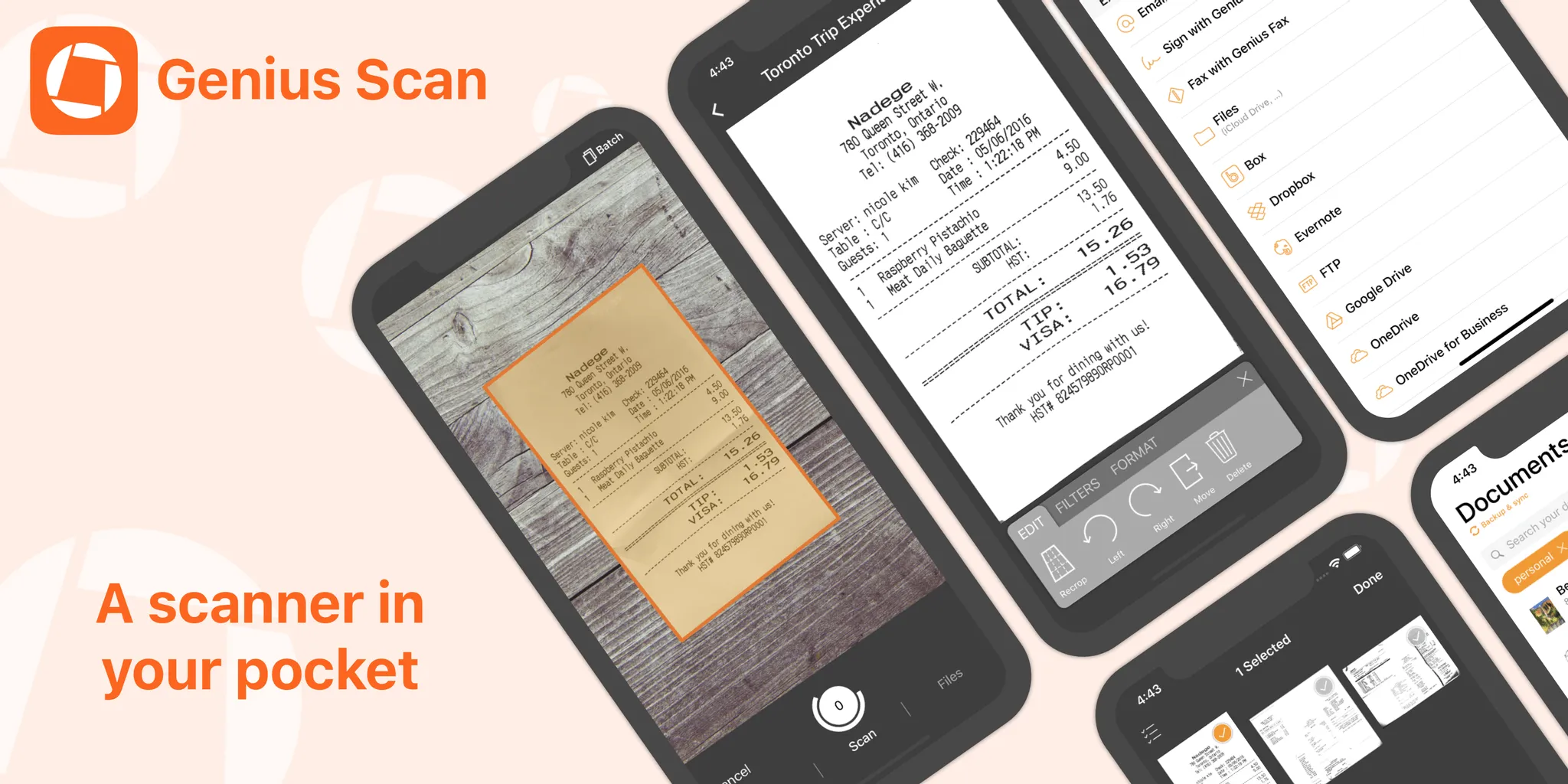
4. Genius Scan – Reliable and Organized
Genius Scan is a user-friendly app that focuses on organization and clarity.
Key Features:
- Smart page detection and perspective correction.
- Enhanced image filters for readability.
- Tags and search functions for easy document retrieval.
- Batch scanning for receipts and notes.
Why It Stands Out: It’s especially useful for frequent scanners such as researchers, travelers, or accountants who deal with lots of small paper documents.
5. Scanbot – Sleek and Multi-Functional
Scanbot is a polished, intuitive scanning app with both free and premium options.
Key Features:
- High-quality document scanning.
- QR code and barcode recognition.
- OCR and multiple export formats (PDF, JPG).
- Direct cloud saving.
Why It Stands Out: Scanbot combines simplicity with powerful options, making it ideal for both casual and professional use.
6. Clear Scanner & Tiny Scanner – Lightweight Solutions
Not everyone needs a heavy-duty scanner app. Clear Scanner and Tiny Scanner are perfect for users who want fast, lightweight apps that get the job done.
Key Features:
- Simple interface with quick scan-to-PDF.
- Cloud support for Google Drive, Dropbox, etc.
- Lightweight, fast performance.
Why They Stand Out: Great for users who just want a minimal scanning experience without the complexity of premium apps.
7. iLovePDF Mobile – Best for PDF Lovers
iLovePDF Mobile combines scanning with advanced PDF editing tools.
Key Features:
- Scan to PDF with OCR.
- Merge, split, rotate, and compress PDF files.
- Cloud connectivity.
Why It Stands Out: Ideal for users who frequently work with PDF-heavy tasks such as contracts, academic papers, or e-books.

Security and Privacy in Scanning Apps
When scanning sensitive information—like IDs, contracts, or financial documents—privacy matters. Choose apps that offer:
- End-to-end encryption.
- Password-protected files.
- Offline scanning options.
Adobe Scan, CamScanner, and Genius Scan are particularly strong in this area, giving peace of mind to professionals handling confidential data.
How to Choose the Right Scanning App for You
Your best scanning app depends on your needs:
- Business users: Adobe Scan or CamScanner for professional-grade features.
- Students & teachers: Microsoft Lens for whiteboard and note scanning.
- Frequent travelers: Genius Scan for receipts and documents.
- Minimalists: Tiny Scanner for quick, simple scans.
- PDF enthusiasts: iLovePDF Mobile for PDF manipulation.
The Future of Document Scanning Apps
By 2025, scanning apps are moving toward AI-powered automation:
- Smarter OCR that recognizes handwriting.
- Automatic document categorization.
- Voice commands for hands-free scanning.
- Secure blockchain-backed storage for legal documents.
These innovations mean scanning apps will soon become even more essential digital assistants.
Final Thoughts
Whether you’re a professional, student, or just someone who wants to stay organized, the right scanning app can save you time, improve productivity, and keep your important files secure.
In 2025, the best apps for scanning documents—from Adobe Scan to CamScanner, Genius Scan, Scanbot, and more—offer a wide range of features for every type of user.
Choosing the right one depends on whether you value advanced OCR, PDF editing, lightweight performance, or strong integrations. No matter what, adopting one of these apps ensures you’ll never lose important documents again.