



Gaming today is more than just individual play—it’s about teamwork, communication, and community. Whether you’re coordinating strategies in competitive esports, raiding dungeons in MMORPGs, or just hanging out with friends online, having a reliable voice chat app makes the experience smoother and more engaging.
The rise of cross-platform gaming has also made voice chat apps even more essential. Players now need tools that work across PC, consoles, and mobile devices with low latency, high audio quality, and robust moderation features. While in-game voice chat exists, it often lacks the stability and flexibility dedicated apps provide.
In this article, we’ll explore the top 7 best voice chat apps for gamers in 2025, reviewing their strengths, weaknesses, and overall performance. Whether you’re a casual gamer or a professional streamer, these apps will keep your team connected.
1. Discord
Overview
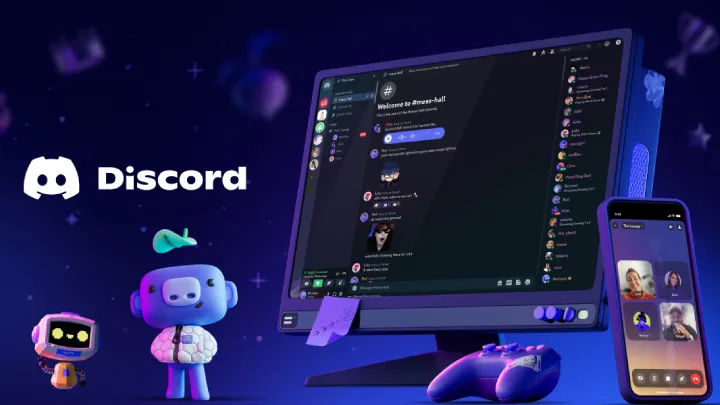
Launched in 2015, Discord quickly became the most popular communication platform for gamers worldwide. With millions of active users, it offers both voice and text chat alongside powerful community features.
Strengths:
- High-quality, low-latency voice communication.
- Free to use with optional Nitro subscription.
- Customizable servers, channels, and roles.
- Cross-platform support (PC, mobile, web).
- Extra features like screen sharing and streaming.
Weaknesses:
- Can be overwhelming for beginners due to too many features.
- Server performance depends on connection quality.
- Privacy and moderation require effort in large communities.
Review:
Discord is the gold standard for gamers thanks to its mix of reliable voice chat and community-building tools. It’s perfect not only for team coordination but also for creating social hubs around games.
2. TeamSpeak
Overview
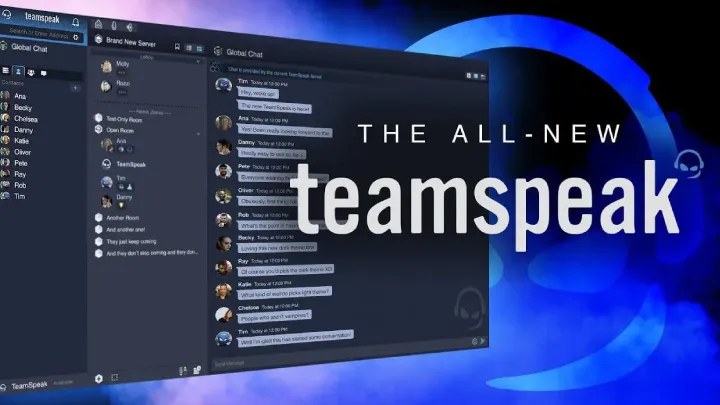
Before Discord, TeamSpeak was the dominant voice chat app for competitive gamers. Known for its stability, it remains a strong choice for esports teams.
Strengths:
- Extremely low latency voice communication.
- High audio quality with customizable codecs.
- Lightweight and resource-efficient.
- Secure, with advanced privacy settings.
Weaknesses:
- Outdated interface compared to modern apps.
- Requires users to set up or rent servers.
- Fewer non-gaming features than Discord.
Review:
TeamSpeak remains one of the best choices for professional gamers, especially in competitive settings where latency can decide victory or defeat. Its minimalist approach focuses purely on voice performance.
3. Mumble
Overview
Mumble is an open-source, low-latency voice chat app with a strong focus on privacy and performance. It’s often compared to TeamSpeak but offers a more community-driven development model.
Strengths:
- Free and open-source.
- Very low latency and high sound quality.
- Strong encryption for privacy.
- Lightweight and efficient.
Weaknesses:
- Outdated interface that feels less polished.
- Requires self-hosted servers or third-party hosting.
- Smaller user base compared to Discord.
Review:
Mumble is ideal for gamers who value privacy, control, and open-source software. While it lacks flashy features, it remains one of the most reliable and secure voice chat tools.
4. Skype
Overview
Once the leader in online calls, Skype has been overshadowed by newer apps, but it still serves as a solid option for casual gaming chats.
Strengths:
- Free and widely available across all platforms.
- Supports large group calls.
- Built-in screen sharing.
- Integration with Microsoft ecosystem.
Weaknesses:
- Higher latency compared to gaming-focused apps.
- Can be resource-heavy.
- Outdated compared to modern gaming chat tools.
Review:
Skype isn’t built for gaming, but it’s still useful for casual groups who just need basic voice calls. However, serious gamers will likely prefer Discord or TeamSpeak.
5. Steam Chat
Overview
Built into the world’s largest PC gaming platform, Steam Chat offers convenient voice communication directly inside the Steam client.
Strengths:
- Integrated with Steam friends and games.
- Easy to use with no additional setup.
- Group voice chat support.
- Free and built into Steam.
Weaknesses:
- Lacks advanced features compared to Discord.
- Voice quality isn’t always consistent.
- Limited to the Steam ecosystem.
Review:
For PC gamers who primarily play on Steam, this built-in option is extremely convenient. While not as advanced as standalone apps, it works well for quick team chats.
6. Overtone
Overview
Overtone is a newer voice chat app powered by Vivox, the same technology used in games like Fortnite and PUBG.
Strengths:
- Lightweight and easy to use.
- High-quality voice communication with low latency.
- No server setup required.
- Works across PC and mobile.
Weaknesses:
- Smaller community compared to Discord.
- Still lacks advanced features.
- Limited adoption outside specific games.
Review:
Overtone is perfect for gamers who want a simple, no-fuss alternative to Discord. With Vivox powering it, the voice quality is excellent, though its user base is still growing.
7. Google Meet (Casual Option)
Overview
Although designed for professional meetings, Google Meet has become a surprising choice for casual gaming groups.
Strengths:
- Free and accessible with a Google account.
- Cross-platform support via browser and apps.
- Supports video, voice, and screen sharing.
- Reliable Google infrastructure.
Weaknesses:
- Not built with gamers in mind.
- Higher latency than specialized gaming apps.
- Lacks features like push-to-talk or overlays.
Review:
While not ideal for competitive gaming, Google Meet is a solid casual option for friends who want a reliable platform to chat while playing.
Strengths and Weaknesses of Voice Chat Apps for Gamers
Strengths
- Team Coordination: Essential for competitive games.
- Community Building: Many apps allow guilds, clans, and groups to stay connected.
- Cross-Platform Support: Works across PC, console, and mobile.
- Extra Features: Some apps include screen sharing, streaming, and chat moderation.
Weaknesses
- Performance Impact: Some apps can use significant resources.
- Latency Issues: High ping can disrupt coordination.
- Learning Curve: Apps like Discord and OBS can overwhelm beginners.
- Security Concerns: Privacy and data management vary across apps.
Conclusion
In the world of gaming, voice chat is no longer optional—it’s essential. Whether you’re planning a raid, competing in ranked matches, or just chatting with friends, the right voice chat app makes all the difference.
- Discord remains the all-in-one champion, perfect for both casual and competitive gamers.
- TeamSpeak and Mumble offer ultra-low latency and reliability for professionals.
- Skype and Google Meet are decent casual alternatives for simple communication.
- Steam Chat is perfect for PC gamers who want integrated tools.
- Overtone brings lightweight performance powered by proven gaming tech.
Ultimately, the best voice chat app depends on your style of gaming. If you want advanced features and community tools, go with Discord. If you want speed and efficiency, TeamSpeak or Mumble will serve you well. Casual players might prefer Steam Chat, Skype, or Google Meet.
No matter which app you choose, good communication will always give you an edge in gaming and make the experience more enjoyable.