



In today’s busy digital world, it’s easy to forget meetings, tasks, or even small daily habits. Whether you’re managing work deadlines, personal goals, or simply remembering to drink enough water, the right reminder app can transform how you stay organized.
From simple to-do lists to advanced scheduling tools, reminder apps ensure you never miss what matters. This article explores the best apps for reminders in 2025, their features, and how they can help boost productivity.
Why Use Reminder Apps?
Everyone has experienced forgetting an important task, whether it’s a bill payment, a meeting, or calling a friend back. Reminder apps solve this by offering smart notifications, task scheduling, and even AI-driven suggestions.
Benefits of Reminder Apps:
- Stay Organized: Keep track of daily, weekly, and long-term tasks.
- Boost Productivity: Focus on work instead of worrying about forgetting things.
- Reduce Stress: A clear reminder system creates mental peace.
- Custom Alerts: Get reminders tailored to your lifestyle.
The demand for these apps continues to grow as people look for digital assistants to manage their busy lives.
1. Microsoft To Do – Best for Cross-Platform Users
Microsoft To Do has become a favorite for professionals and students alike. It’s more than just a task list—it syncs seamlessly across devices and integrates with Microsoft 365 tools.
Key Features
- Smart daily planning with “My Day” feature.
- Cloud sync across mobile, desktop, and web.
- Shared lists for collaboration.
- Integration with Outlook tasks.
Why It Stands Out
Its ability to connect with other Microsoft apps makes it perfect for productivity. If you already use Outlook or Teams, this reminder app becomes a natural extension of your workflow.
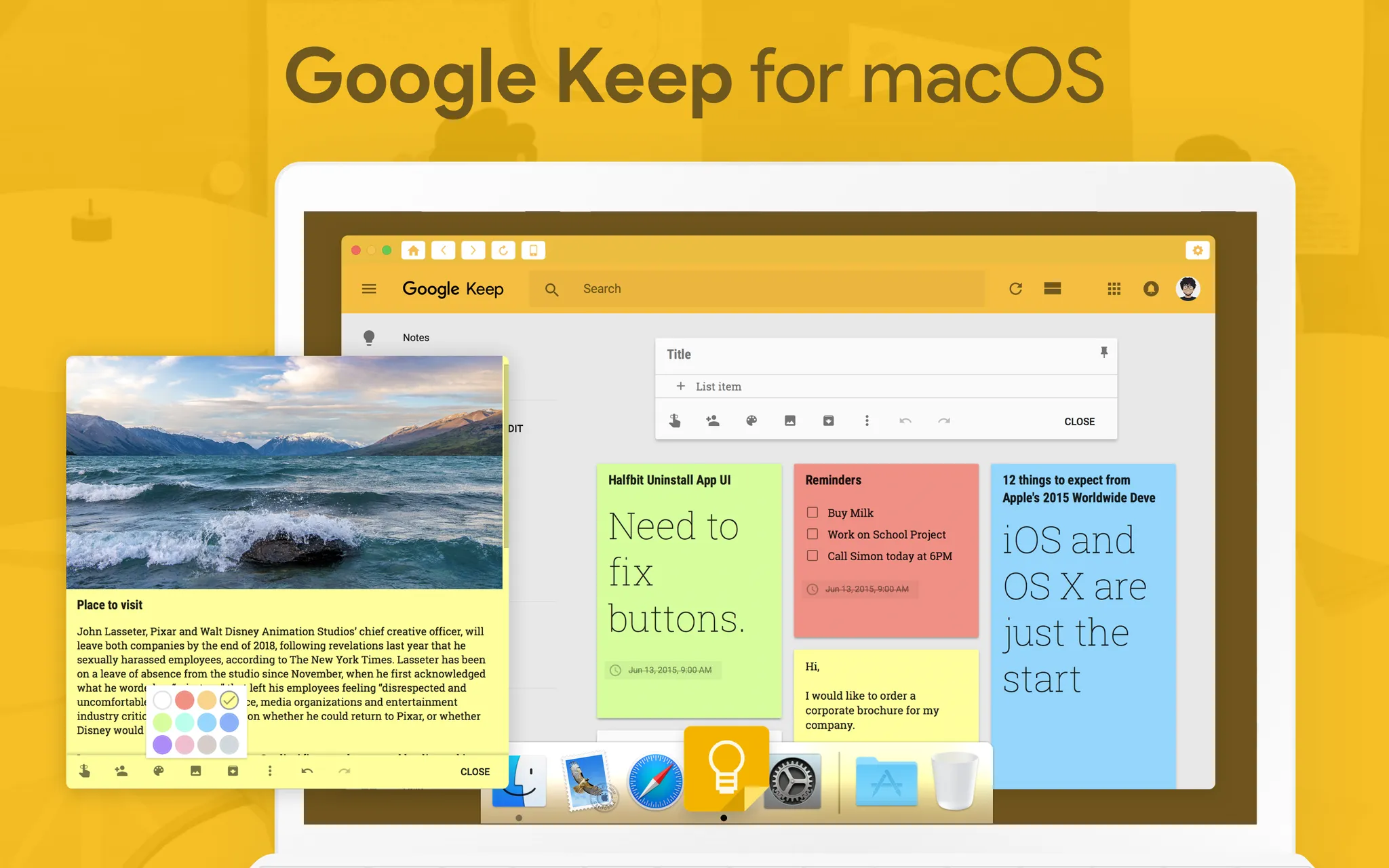
2. Google Keep – Best for Quick Notes and Simple Reminders
Google Keep is designed for simplicity. It lets you create quick notes, checklists, and time- or location-based reminders.
Key Features
- Color-coded notes and labels.
- Voice note reminders.
- Location-based alerts (e.g., reminder pops up when you reach the grocery store).
- Sync with Google Drive and across devices.
Why It Stands Out
It’s fast, minimal, and integrates seamlessly with Google services. If you’re already using Gmail or Google Calendar, Google Keep is an effortless choice.
3. Todoist – Best for Advanced Task Management
Todoist is one of the most powerful task managers available. With its intuitive design and advanced features, it’s popular among productivity enthusiasts.
Key Features
- Natural language input (e.g., “meeting tomorrow at 10 AM”).
- Recurring reminders and deadlines.
- Priority levels and productivity tracking.
- Integration with apps like Slack, Google Calendar, and Alexa.
Why It Stands Out
Todoist combines simplicity with depth. It’s equally useful for personal task lists and managing large projects, making it one of the best apps for reminders in 2025.
4. Any.do – Best All-in-One Reminder and Calendar
Any.do offers both task reminders and a full calendar view, making it an excellent choice for people who like to visualize their schedules.
Key Features
- Task, calendar, and notes in one place.
- Voice input for quick reminders.
- Cross-platform sync.
- Daily planner with drag-and-drop scheduling.
Why It Stands Out
The clean interface and integration of reminders with calendar events make it perfect for those who want everything in one app.
5. Apple Reminders – Best for iPhone Users
For Apple ecosystem users, Apple Reminders is a natural choice. With every iPhone, iPad, and Mac, the app comes pre-installed and deeply integrated.
Key Features
- Location-based reminders (e.g., “remind me when I leave home”).
- Shared reminders with family or colleagues.
- Siri integration for voice commands.
- Smart lists for better organization.
Why It Stands Out
Its seamless integration with iOS and macOS ensures that reminders are always at your fingertips—whether via iPhone widgets or Apple Watch notifications.
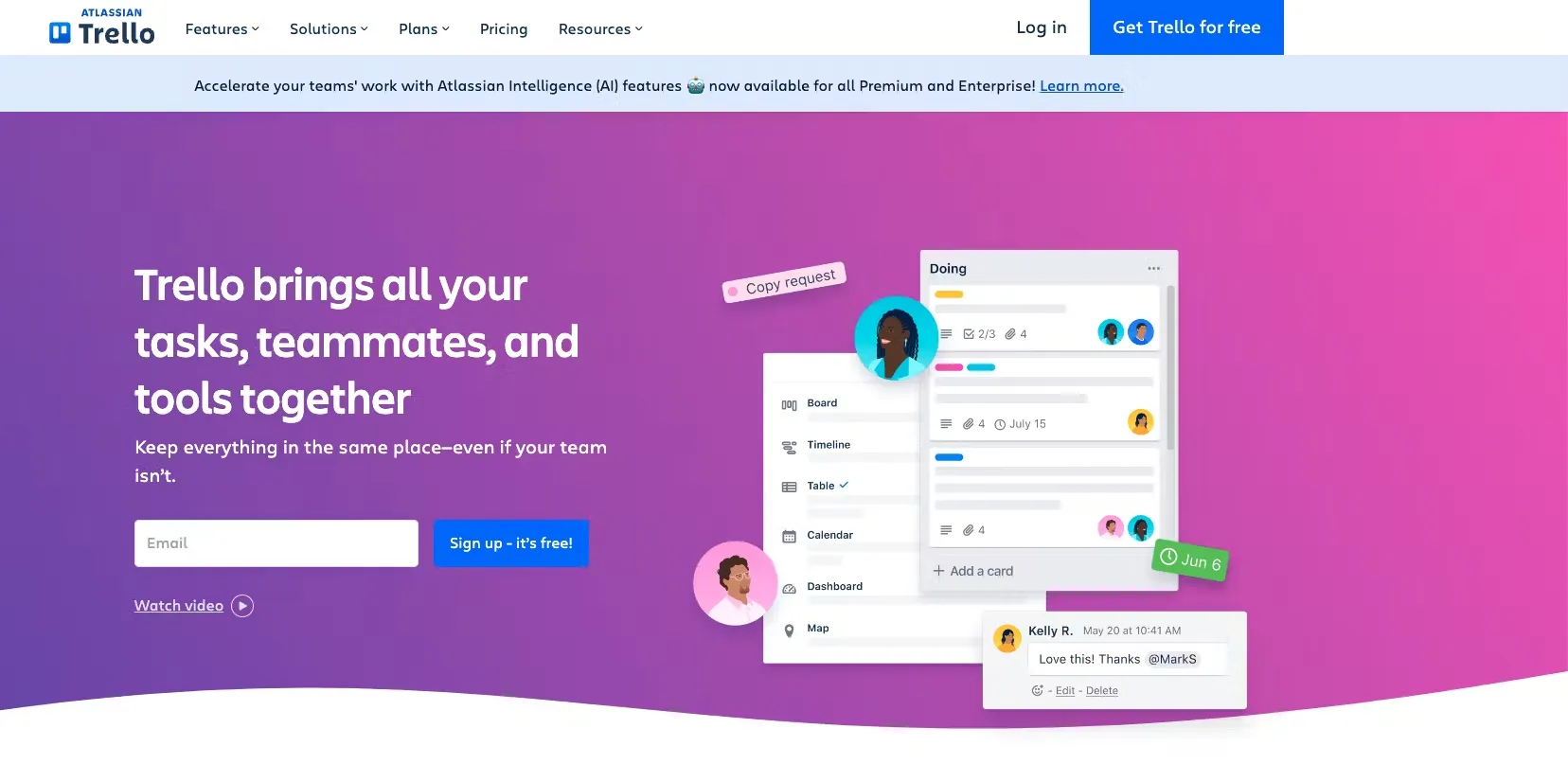
6. Trello – Best for Team Reminders and Projects
Trello is more than just a reminder app—it’s a project management powerhouse. With boards, cards, and checklists, it’s ideal for both personal and collaborative reminders.
Key Features
- Kanban-style boards for visual task tracking.
- Assignable tasks with deadlines.
- Integration with Slack, Google Drive, and more.
- Automated reminders through Butler (built-in automation tool).
Why It Stands Out
If you’re managing group projects or team workflows, Trello doubles as both a reminder app and a full project manager.
7. Notion – Best for Customized Reminders
Notion is known as an “all-in-one workspace” where you can create custom pages, databases, and reminders.
Key Features
- Task databases with reminders.
- Calendar and timeline views.
- Collaboration features for teams.
- Integration with apps via Zapier.
Why It Stands Out
Unlike traditional apps, Notion lets you build your own system. You can set reminders inside detailed project pages, journals, or study notes—flexible enough for any lifestyle.
8. Habitica – Best for Gamified Reminders
Habitica takes productivity and makes it fun by turning tasks and reminders into a role-playing game.
Key Features
- Customizable avatars that “level up” when you complete tasks.
- Rewards and punishments based on your habits.
- Team and guild features for accountability.
- Task reminders with daily goals.
Why It Stands Out
By gamifying reminders, Habitica motivates users who struggle with traditional task management. It’s particularly popular with students and creatives.
9. Alarmed – Best for Persistent Reminders
Sometimes a simple notification isn’t enough. Alarmed is designed to deliver persistent reminders until you complete the task.
Key Features
- Super-loud alerts and repeat notifications.
- Quick entry for tasks and reminders.
- Integration with iCloud.
- Customizable snooze options.
Why It Stands Out
Perfect for people who easily dismiss or ignore notifications—Alarmed makes sure you can’t forget.
10. TickTick – Best for Balance of Simplicity and Power
TickTick is a versatile app that blends a clean interface with advanced productivity tools.
Key Features
- Smart reminders with deadlines and recurring tasks.
- Built-in habit tracker.
- Calendar integration.
- Focus timer (Pomodoro technique).
Why It Stands Out
It’s a complete productivity suite. From daily reminders to long-term goal tracking, TickTick keeps everything in one place.

How to Choose the Best Reminder App for You
With so many options, the best reminder app depends on your personal needs.
Ask Yourself:
- Do you want simple reminders or a full productivity tool?
- Are you working alone or with a team?
- Do you prefer gamification or minimalism?
- Do you need cross-platform sync?
By matching your lifestyle with the app’s features, you’ll find the perfect fit.
Tips for Using Reminder Apps Effectively
- Keep It Simple: Don’t overload your app with too many tasks.
- Use Categories: Separate work, personal, and health reminders.
- Leverage Recurring Reminders: Automate daily or weekly tasks.
- Sync Across Devices: Ensure you never miss a reminder.
- Review Weekly: Adjust tasks and goals for better planning.
The Future of Reminder Apps
In 2025 and beyond, reminder apps are evolving with AI and machine learning. Expect features like:
- Predictive reminders based on habits.
- Voice-activated and wearable integration.
- AI that suggests task prioritization.
- Smart alerts that adjust based on context (e.g., traffic, weather, location).
This future ensures that reminders will become more personalized, proactive, and supportive in managing everyday life.
Conclusion
From simple tools like Google Keep to advanced systems like Todoist and Notion, reminder apps in 2025 offer something for everyone. Whether you need gentle nudges, collaborative project reminders, or gamified motivation, these apps ensure you never miss an important moment.
Choosing the right app depends on your goals—simplicity, customization, or productivity depth. By leveraging the power of these apps, you can take control of your time, reduce stress, and stay ahead of every task.
In today’s world, where distractions are endless, reminder apps are the key to staying focused, organized, and productive.